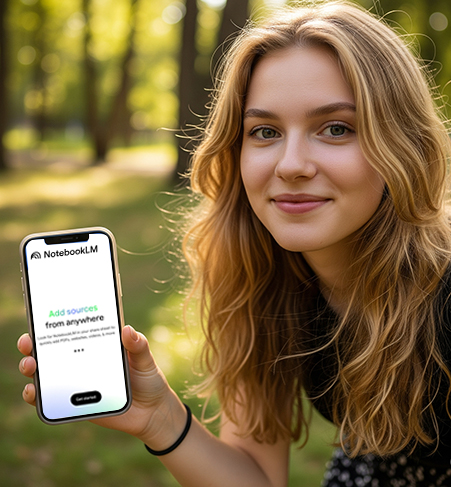
Recently, Google officially launched the highly anticipated NotebookLM mobile app, which is now available on the Android platform, and the iOS and iPadOS versions will be launched soon. As a tool focusing on AI-assisted research and note management, NotebookLM has been limited to the desktop since its release in 2023. Now it has finally ushered in a mobile version, meeting the needs of the majority of users for "intelligent learning anytime, anywhere".
This article will give you a comprehensive analysis of the functional highlights of NotebookLM mobile terminal, and attach practical tutorials to help you get started efficiently!
What is NotebookLM?
NotebookLM is an AI note-taking tool launched by Google. It supports users to upload data sources (such as PDF, articles, web pages, videos, etc.) and uses AI to help you:
Generate smart summaries
Answer questions about the data
Recently, Google officially launched the highly anticipated NotebookLM mobile app, which is now available on the Android platform, and the iOS and iPadOS versions will be launched soon. As a tool focusing on AI-assisted research and note management, NotebookLM has been limited to the desktop since its release in 2023. Now it has finally ushered in a mobile version, meeting the needs of the majority of users for "intelligent learning anytime, anywhere".
This article will give you a comprehensive analysis of the functional highlights of NotebookLM mobile terminal, and attach practical tutorials to help you get started efficiently!
What is NotebookLM?
NotebookLM is an AI note-taking tool launched by Google. It supports users to upload data sources (such as PDF, articles, web pages, videos, etc.) and uses AI to help you:
Generate smart summaries
Answer questions about the data
Creating Podcast-like Audio Overviews
In the past, it was only available on the web version, but now it finally supports mobile devices, allowing you to handle learning and work materials anytime and anywhere.
What are the new highlights of the mobile version of NotebookLM?
1. Fully synchronize desktop functions
Upload documents, web pages, video links, etc. as research materials
Intelligently summarize content and quickly extract key points
Ask questions about the content and get accurate AI answers
Create and manage multiple notebooks to organize information in a structured manner
2. AI-generated "podcast-style" audio overviews (Audio Overviews)
Generate short audio interpretations based on the content you upload
Support offline playback : no need to worry about network disconnection
Support background playback : Listen to content while doing housework to improve time utilization
Very suitable for review meetings, reviewing knowledge points or preparing performance reports
3. Powerful "data collection" capabilities
When browsing the web, watching YouTube, or viewing a PDF, click "Share" → select NotebookLM to add it as a new data source with one click
Save the tedious steps of copying and pasting, and record inspiration and key points at any time
4. Adapt to dark/light mode
Automatically switch according to the mobile phone system to improve reading experience and protect eyesight
How to use NotebookLM on your phone?
Step 1: Download and install
Android users can go to Google Play and search for "NotebookLM" to download and install it.
iOS/iPadOS users can follow the App Store updates, which are expected to be launched soon
Step 2: Create a notebook and add information
Open the app → click "New Notebook"
Add PDFs, websites, YouTube videos or manually enter text
Use the "Share" feature to quickly import content
Step 3: Experience Smart Summary and Audio
Every time you add a piece of information, NotebookLM will automatically generate a smart summary
Click "Audio Overview" to listen to the AI voice summary
Support playback control and offline saving
Step 4: Ask questions about the information
Type in questions you don't understand, such as: "What are the key conclusions of this report?"
NotebookLM will give accurate answers based on the existing information, allowing for a deeper understanding
Application scenario recommendation: This is more efficient!
Work scene
After uploading the performance report materials, the highlights are automatically summarized and the report content is quickly generated
Organize meeting minutes and easily restore discussion points
Learning scenarios
Paper Reading : Upload an English paper and quickly generate a Chinese abstract
Online course/video analysis : Upload YouTube teaching videos directly and generate text notes
Self-improvement
Structured learning of book content , easy to understand after uploading the e-book
Time fragmentation learning : Listen to AI podcasts while commuting or cooking to improve utilization
NotebookLM advanced usage tips
Tip 1: Combine multiple sources to generate a comprehensive summary
Scenario: Research a complex topic, such as "Application of Generative AI in Education"
operate:
Upload 3~5 articles or research reports from different sources
Ask a question in the notebook: "Please compare the consensus and disagreement on the advantages and disadvantages of generative AI in these materials?"
After getting the AI summary, follow up by asking, "Are there any interesting quotes that I can use as an opening for my speech?"
Highlights : NotebookLM can "extract + integrate" from different documents, which is suitable for knowledge sorting before making PPT and writing papers.
Tip 2: Use AI to generate speeches or summaries
Scenario: You are about to give a report or classroom presentation
operate:
Upload materials (such as product reports, policy documents)
Let AI summarize it into a "3-minute speech" or "5 key points of speech outline"
Start Audio Overview and take notes while listening
Highlights : Quickly extract "expressible" language content from massive texts, saving more than 80% of sorting time .
Tip 3: Make a "themed" knowledge accumulation notebook
Scenario: You have a long-term interest in a certain field, such as "sustainable energy" or "Web3"
operate:
Create a themed notebook and add new content (web pages, PDFs, videos) regularly
Ask AI anytime to summarize changing trends and key concept updates
Let AI generate a review Audio Overview for you regularly, so you can review while listening
Highlights : Let NotebookLM become your "exclusive domain knowledge database + explanation coach".
Tip 4: Improve your reading comprehension (especially for English materials)
Scenario: Getting stuck when reading complex English articles or academic literature
operate:
Upload English materials
Ask questions: "What does this mean?" "Can you explain it in simple English?" "Give me an analogy to help me understand"
Let AI explain repeatedly until it understands thoroughly
Highlights : Ask questions using your native language thinking, and AI will translate them into "easy-to-understand language", which is smarter than mechanical translation software.
About Privacy and Security
The content uploaded by NotebookLM will only be used under your account , and AI analysis is based only on the information you provide, and will not be leaked or trained across users. Google emphasizes the privacy protection mechanism of the service, which is suitable for professionals.
Conclusion
The launch of Google NotebookLM on mobile devices has ushered in a new era of AI-assisted learning and data organization, which can be done anytime, anywhere. From smart summaries to audio overviews, from proactive questions to in-depth data integration, it is not only a note-taking app, but also a personal learning assistant that truly understands you.
Have you learned to use the mobile version of NotebookLM? How was the experience?



