Facebook has rolled out a new nickname feature for Groups, giving users more privacy and freedom when participating in community discussions. Instead of posting with your real name, you can now create a custom nickname and avatar for each group you join. This update is becoming a popular search topic as users look for ways to protect their identity online. In this guide, we'll explain how the nickname feature works, why it matters, and how to set it up step by step so you can stay safe and confident while engaging in Facebook Groups.
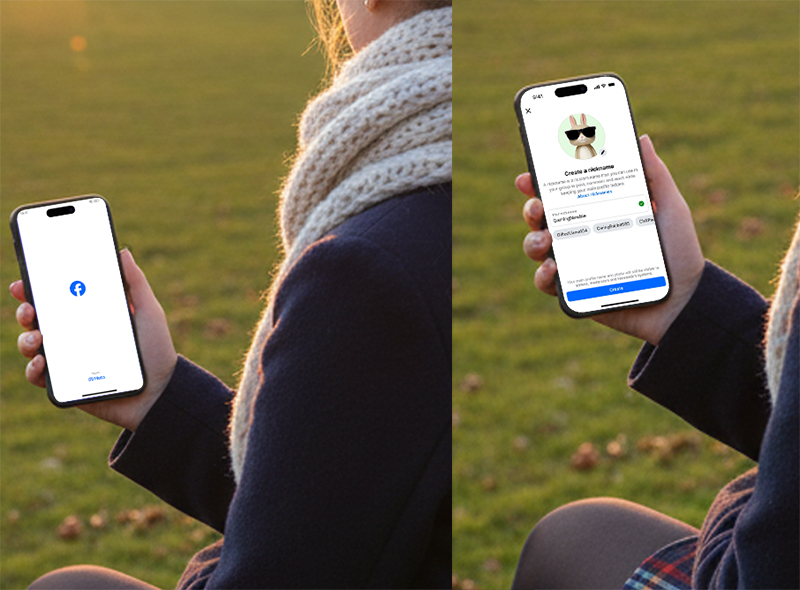
What Is the Facebook Group Nickname Feature?
Facebook's new nickname option lets you create a separate identity for each group you join. Instead of posting with your real name and personal profile picture, you can choose:
A custom nickname
A unique avatar (including incognito-style icons)
This feature differs from the anonymous posting tool:
Nicknames = for ongoing participation
Anonymous posts = for one-time sensitive questions
Facebook will also suggest possible nicknames, but you can create your own at any time.
Why Facebook Added the Nickname Feature
The nickname update was designed to improve privacy, personalization, and comfort when participating in group discussions. It's especially helpful for users who want to explore sensitive topics without attaching their real identity.
Key benefits:
More freedom to express your thoughts
Ability to join niche communities without social pressure
Better separation between your personal profile and group identity
Extra privacy for sensitive or controversial topics
However, it's important to note:
Nicknames remain linked to your real Facebook account behind the scenes. Facebook can still identify who you are in case of policy violations.
How to Set Up a Nickname in Facebook Groups (Step-by-Step Guide)
Follow these steps to activate a nickname for any Facebook group:
Step 1: Open the Facebook Group
Go to the group where you want to use the nickname.
Step 2: Create a Group Profile
When you try to post or comment, Facebook will prompt you to select a profile.
Choose "Create Group Profile."
Step 3: Choose Your Nickname
You can:
Use Facebook's suggested nicknames
Create your own unique moniker
Step 4: Add an Avatar
Upload a custom image or choose an incognito-style icon provided by Facebook.
Step 5: Save and Start Posting
Your nickname and avatar will now appear in that group.
You can repeat this for every group and use different nicknames for each one.
Tips for Using Facebook Nicknames Safely
✔ Use nicknames for:
Mental health and support groups
Gaming and hobby communities
Work-related groups where you prefer privacy
Sensitive or personal topics
✔ Follow group rules
Even with a nickname, your account can still face penalties for rule violations.
✔ Avoid impersonation
Facebook will monitor misuse such as pretending to be another member or admin.
Is the Nickname Feature Safe?
Yes—Facebook's nickname system offers a balanced mix of:
More privacy while posting
Enough accountability to prevent misuse
Your nickname is visible to group members, but your real identity remains hidden from public view, unless required for enforcement.
Final Thoughts
Facebook's new nickname feature is a valuable update for anyone who wants more control over their identity in online communities. Whether you're joining interest groups, exploring sensitive topics, or simply want more privacy, this tool gives you the flexibility to engage comfortably.



