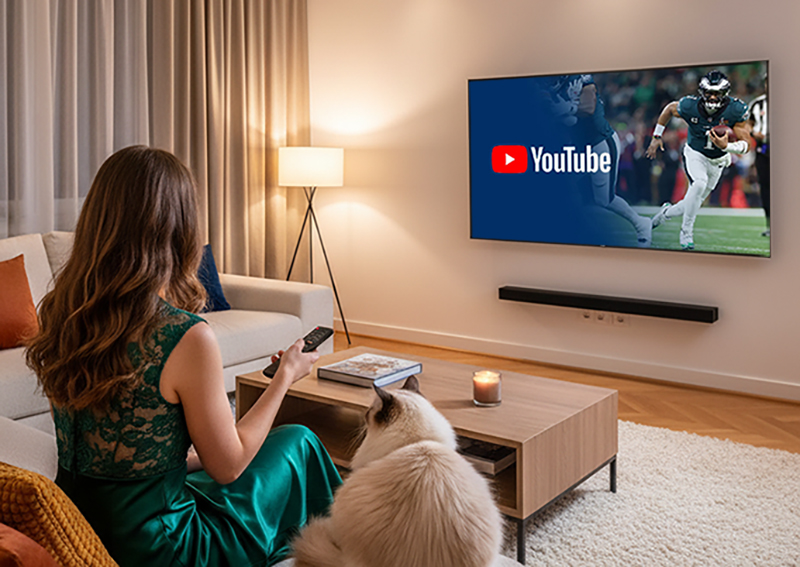
YouTube is stepping up its game on Connected TV (CTV) screens — and creators have a lot to gain. With over 1 billion hours of YouTube watched on TVs every day, the platform is now the leading streaming service in the U.S., even surpassing Netflix and Disney+ in watch time. To help creators maximize this booming audience, YouTube has rolled out several CTV-focused updates, including AI upscaling, immersive previews, and better shopping integrations.
Here's everything you need to know — and how to make sure your content is ready for the big screen.
What's New in YouTube's CTV Updates?
YouTube's new Connected TV (CTV) improvements focus on video quality, discovery, and shopping engagement. Here are the main updates:
4K-Ready Thumbnails:
YouTube is expanding the thumbnail file limit from 2MB to 50MB, allowing creators to upload sharper, 4K-quality title cards. This helps your videos look more professional on large screens.
Immersive Channel Previews:
Creators' channels will now feature auto-playing background previews on CTV displays. This means your videos can loop in the channel header — like a movie trailer for your channel.
Improved In-Channel Search:
When viewers search within your channel, your videos will now be prioritized instead of being buried under unrelated content across YouTube.
CTV Shopping with QR Codes:
YouTube is adding interactive shopping moments with scannable QR codes that connect directly to product pages on viewers' phones. You'll also be able to tag products at specific moments in a video.
AI-Powered Upscaling:
Perhaps the most talked-about feature — YouTube will use AI to upscale low-quality videos, making SD clips look sharper in HD or even 4K for TV screens.
How to Optimize Your Videos for the CTV Experience
If you want your content to stand out on a big screen, you need to adapt your production and publishing approach. Here's how:
1. Use Larger, High-Contrast Thumbnails
Now that YouTube supports 4K thumbnails, use text and visuals that stay clear from a distance. Avoid clutter — think cinematic stills or close-up shots with bold fonts.
2. Organize Playlists for TV Browsing
With immersive previews and in-channel search upgrades, structured playlists will keep viewers watching longer. Group your videos by theme or topic for a binge-worthy experience.
3. Leverage Product Tagging and QR Codes
If you're in eCommerce or affiliate marketing, tag key products and use clear CTAs like "Scan to shop." This creates a seamless CTV-to-mobile shopping flow.
4. Test and Review AI Upscaling
AI upscaling can enhance quality, but some creators report a "too-perfect" or "AI-filtered" look. Test it first — if you don't like the result, you can opt out in settings while keeping your original upload intact.
Why CTV Matters for YouTube Creators
CTV is now one of YouTube's fastest-growing revenue channels. Shorts on TV have doubled in viewership, and long-form videos are seeing steady growth.
This means:
Longer watch time = more ad revenue potential.
Brand deals are shifting toward living-room visibility.
Shopping videos are now a powerful eCommerce opportunity on CTV.
Simply put, optimizing for TV screens is no longer optional — it's the next major growth frontier on YouTube.
Quick Tips for Standing Out on YouTube CTV
Upload 4K video files whenever possible — YouTube is testing higher-quality uploads.
Keep on-screen text and captions large enough for TV readability.
Choose bold title fonts for thumbnails and maintain high-contrast visuals.
Add a "TV Trailer" video as your channel's featured header clip.
Monitor performance using YouTube Analytics' "Device Type" filter to see your CTV audience share.
Final Thoughts
YouTube's latest CTV display updates make one thing clear — the platform is no longer just mobile-first. It's entering the living room era, and creators who optimize early will have a major advantage.
AI upscaling, 4K visuals, immersive layouts, and shoppable moments are just the beginning of a new, TV-centric YouTube experience.
Start upgrading your content strategy now — your next big viewer might be watching from the couch, not the phone.



