Meta has officially launched Vibes, a short-form video feed inside the Meta AI app and on meta.ai, designed entirely around AI-generated content. Unlike TikTok, Instagram Reels, or YouTube Shorts, every video you see on Vibes is powered by artificial intelligence — from surreal cats kneading dough to ancient Egyptians taking selfies. While the feature has already sparked controversy and complaints about "AI slop," creators and early adopters may still find unique ways to experiment with AI storytelling.
In this guide, we'll explain what Meta Vibes is, how to create AI videos on it, and how to make the most of the Vibes feed to boost creativity and cross-platform reach.
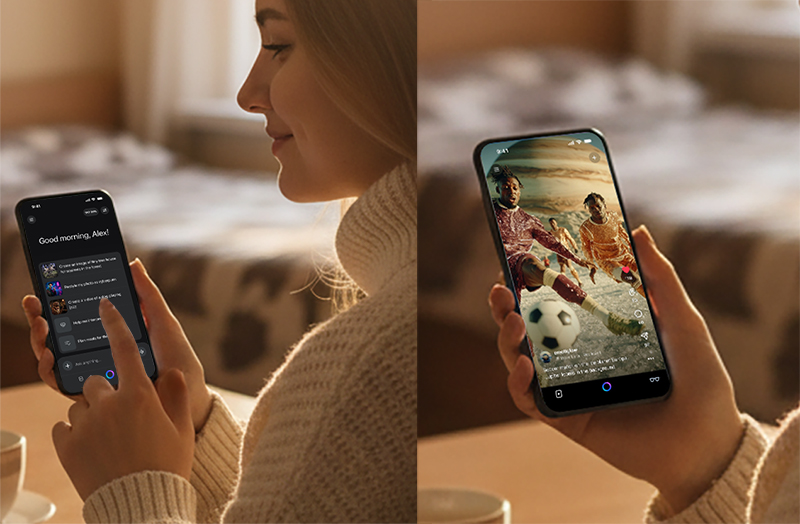
What Is Meta Vibes?
Vibes is essentially an AI-first version of TikTok/Reels:
The feed only features AI-generated short videos.
Meta has officially launched Vibes, a short-form video feed inside the Meta AI app and on meta.ai, designed entirely around AI-generated content. Unlike TikTok, Instagram Reels, or YouTube Shorts, every video you see on Vibes is powered by artificial intelligence — from surreal cats kneading dough to ancient Egyptians taking selfies. While the feature has already sparked controversy and complaints about "AI slop," creators and early adopters may still find unique ways to experiment with AI storytelling.
In this guide, we'll explain what Meta Vibes is, how to create AI videos on it, and how to make the most of the Vibes feed to boost creativity and cross-platform reach.
What Is Meta Vibes?
Vibes is essentially an AI-first version of TikTok/Reels:
The feed only features AI-generated short videos.
You'll see clips from other users as well as videos created by AI artists.
Meta's recommendation algorithm will personalize your feed as you scroll.
Meta says the feature is designed for "creative remixing" and "playful experimentation," but critics argue it could accelerate the flood of low-effort AI content across social media.
How to Create AI Videos on Meta Vibes
If you want to test it yourself, here's how the process works:
Open the Meta AI app (or go to meta.ai) and tap on the Vibes tab.
Choose your starting point:
Generate a video from scratch using text prompts.
Or remix an existing video in the feed.
Customize your video before publishing:
Add new visuals.
Layer in background music.
Adjust styles, filters, or effects.
Publish your creation:
Post directly to the Vibes feed.
Share via DMs.
Cross-post to Instagram and Facebook Stories/Reels.
This workflow makes Vibes feel like a hybrid between AI art generators (like Midjourney) and social platforms like TikTok.
Meta's AI Partnerships Behind Vibes
Interestingly, Meta isn't fully relying on its in-house models (yet).
For the early phase, Vibes uses Midjourney and Black Forest Labs technology.
Meta's internal Superintelligence Labs team is still developing its own next-gen AI models to power the platform long-term.
This indicates that Vibes is both an experiment and a testing ground for Meta's larger AI strategy.
Why Is Vibes Controversial?
The rollout has already attracted backlash:
Many users called it "AI slop" and complained that "nobody asked for this."
Comment sections under Mark Zuckerberg's announcement were filled with sarcastic remarks like "Bro's posting AI slop on his own app."
Critics argue that platforms are already oversaturated with unoriginal AI content, and Vibes may worsen the problem.
The irony is that Meta recently told creators to focus on "authentic storytelling" rather than low-value, short-form content. Launching a feed dedicated to AI videos seems to contradict that message.
How to Make the Most of Meta's Vibes Feed
While many users dismiss Vibes as nothing more than "AI slop," there are smart ways to use it as a creative tool instead of just scrolling. Here are some practical tips:
1. Create High-Quality AI Shorts
Start with strong prompts: Just like with Midjourney, clear and descriptive text prompts make all the difference.
Add a narrative touch: Don't just generate random clips — try telling a mini-story.
Keep it short and engaging: Bite-sized videos tend to get more attention and shares.
2. Leverage the Remix Feature for Engagement
Pick trending videos and remix them with new styles or music.
Remixing lowers the barrier to entry and increases your chance of riding existing trends.
3. Cross-Post for Maximum Reach
Share your Vibes videos to Instagram Reels and Facebook Stories with one click.
Use clear hashtags and descriptions to boost discoverability on multiple platforms.
4. Avoid the "AI Spam" Label
Don't rely solely on random generation — refine your clips with editing and storytelling.
Aim to add value, whether through humor, tutorials, or creative mini-scenes.
5. Understand the Algorithm
Vibes will recommend content based on your activity.
Like, comment, and share actively to improve both your feed and the visibility of your own videos.
Bottom line: To make the most of Meta's Vibes Feed, balance AI-powered generation with human creativity. That's how you'll stand out while avoiding the "AI slop" criticism.
Should You Try Vibes?
If you're a casual user:
Vibes is a fun playground for generating quirky, surreal videos — like cats kneading dough or AI-generated ancient Egyptian selfies.
But don't expect the same level of community culture that TikTok or Reels have, since all the content is machine-generated.
If you're a creator:
Vibes might be useful for quick experiments or cross-posting AI clips to Instagram/Facebook.
However, with audiences already skeptical about "AI spam," using it strategically (not excessively) is key.
Final Thoughts
Meta's new Vibes feed is bold, experimental, and divisive. On one hand, it offers a simple way for anyone to create short-form AI videos and share them instantly. On the other, it highlights the growing tension between authentic human storytelling and the surge of algorithmic AI content online.
Whether Vibes becomes Meta's next big success or just another failed feature will depend on how users adapt — and whether audiences embrace AI creativity or reject it as just more "AI slop."



