Google recently announced another major update for its NotebookLM app: Video Overviews and Audio Overviews now support 80 languages. This means that users around the world, regardless of language, can now quickly transform notes, PDFs, images, and other materials into video presentations or audio summaries using NotebookLM, significantly improving learning and work efficiency.
This update is not only of great benefit to students and educators, but also a highly practical upgrade for multinational businesses, researchers, and multilingual learners. Below we'll detail the highlights of this feature update and provide a complete tutorial and application guide.
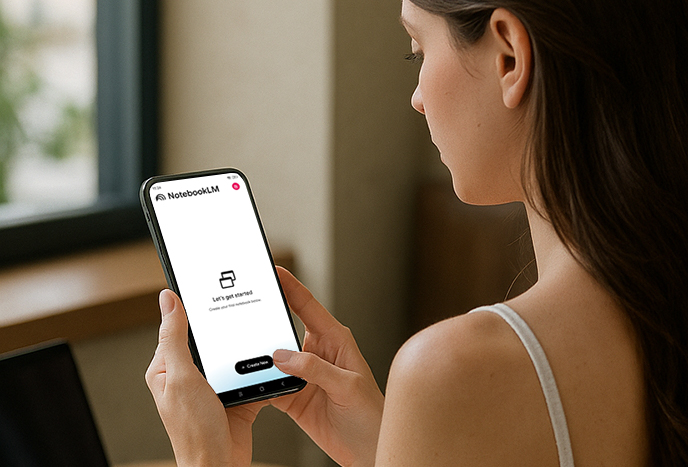
NotebookLM video overview: From English to global multilingual
Previously, NotebookLM's video overview feature was only available to English users, which made it difficult for non-English speaking users to use it. After this update:
Covering 80 languages: including mainstream languages such as French, German, Spanish, Portuguese, Chinese, Japanese, Korean, etc., covering almost all major markets in the world.
Diverse input materials: Not only can you upload notes, but it also supports PDF documents, pictures, reports and other materials. The system will automatically generate corresponding multilingual video demonstrations.
Visual learning experience: The generated videos not only display key information but also help users understand complex content in an intuitive way, making them ideal for education and knowledge transfer.
This feature is particularly valuable for users who need to make presentations or teach. For example, teachers can directly convert handouts into multilingual videos that students can use to review key points of the course.
Audio Overview Optimization: More Natural Multilingual Summary
In addition to the video improvements, NotebookLM's Audio Overviews have also been upgraded:
Support for in-depth summaries: Previously, non-English users only had access to short audio content, and the full version was only available in English. Now, full in-depth summaries are generated for all 80 languages.
Free choice between brief and full versions: Users can choose a short summary (suitable for quick browsing) or a detailed version (suitable for in-depth learning) according to their needs.
More natural language expression: The optimized AI speech synthesis is smoother, avoiding the stiff translation tone and making the learning experience more comfortable.
This allows audio overviews to be used not only for learning, but also as a "portable learning assistant" during commuting or fragmented time.
NotebookLM Video and Audio Overview Tutorial
Want to try out the new features of NotebookLM? Just follow these steps:
Log in to NotebookLM
Use Google account to enter NotebookLM official website(Needs to be opened in supported regions).
Upload data
Choose from notes, class handouts, research paper PDFs, or team project documents.
The system will automatically identify the content and prepare to generate a summary.
Select output method
Video Overview: Generate a video summary in selectable language.
Audio Overview: Generates audio interpretations, supporting short and long versions.
Set language preference
Select the target language in the settings, such as Spanish, Japanese, or German.
Save and share
Users can save the generated video or audio locally or share it with their team, classmates, or study partners.
Application Scenarios and Advantages
This update is not only a technical upgrade, but also an important strategic step for NotebookLM to enter the global market. The following are several typical application scenarios:
Student review: Automatically convert class notes into video summaries to help review knowledge points faster.
Researchers: Transform complex academic papers into clear audio interpretations, making it easier to absorb the key points.
Multinational teams: Corporate project materials can be quickly converted into multilingual video presentations to facilitate understanding by members from different countries.
Language learners: Generate overviews in your native or target language to both understand the content and aid in foreign language learning.
Educators: Teachers can use NotebookLM to create multilingual teaching videos to serve more student groups.
Why is this update so significant?
Google's upgrade of NotebookLM has three levels of significance:
Lowering the language barrier: Non-English users around the world can use the core functions of NotebookLM more smoothly.
Improve learning efficiency: Whether it is a visual video or a convenient audio summary, it can help users absorb information faster.
Promoting the globalization of education: NotebookLM has become an important tool for AI in the fields of education and knowledge dissemination.
For global users, this is a truly "user-centric" update that reflects Google's direction of promoting the popularization of AI tools.
Final Thoughts
Starting this week, NotebookLM's video and audio overviews feature is now available in 80 languages and will be gradually rolled out to users worldwide over the next week. Whether you're a student, teacher, researcher, or business user, this tool allows you to quickly generate multilingual video presentations and audio summaries, making learning and work more efficient.
If you haven't tried NotebookLM yet, log in now, upload a note, select your preferred language, and experience how AI transforms information into video or audio. This update is not just a technological iteration, but a revolution in the way we learn.



