X (formerly Twitter) recently announced the expansion of its AI-powered automatic translation capabilities. Grok, developed by its xAI team, will become the primary engine behind the "Translate Post" button on the platform, automatically translating from multiple languages worldwide into English.
Although this feature has been in testing since June 2024, it was initially criticized by users for accuracy issues. Now, X claims that model upgrades have significantly improved Grok's ability to understand context and preserve original text details. This article will explain the latest changes to Grok, how to use it, and how to improve translation quality, helping you browse and publish content across languages.
What Is Grok Translation on X?
Grok Translation on X is an AI-powered automatic translation tool developed by xAI, Elon Musk's artificial intelligence company.
It has replaced Google Translate as the default translation engine on X (formerly Twitter), allowing users to instantly translate posts without leaving the app.
According to xAI engineer Ray Hotate (originally posted in Japanese):
"We have released the Grok auto-translate feature for X posts to all U.S. users. Not only Japanese, but languages from around the world will be automatically translated into English by @Grok. X posts will transcend language barriers."
This means that when users select the "Translate Post" option, X will prioritize its Grok AI model over Google Translate.
Key Features of Grok Translation:
Native AI integration – Fully built into X, eliminating the need for copy-paste or external tools.
Context-aware translation – Designed to interpret tone, slang, and cultural nuances, not just literal meaning.
Custom target language – You can set your preferred output language (e.g., English, Japanese, Spanish).
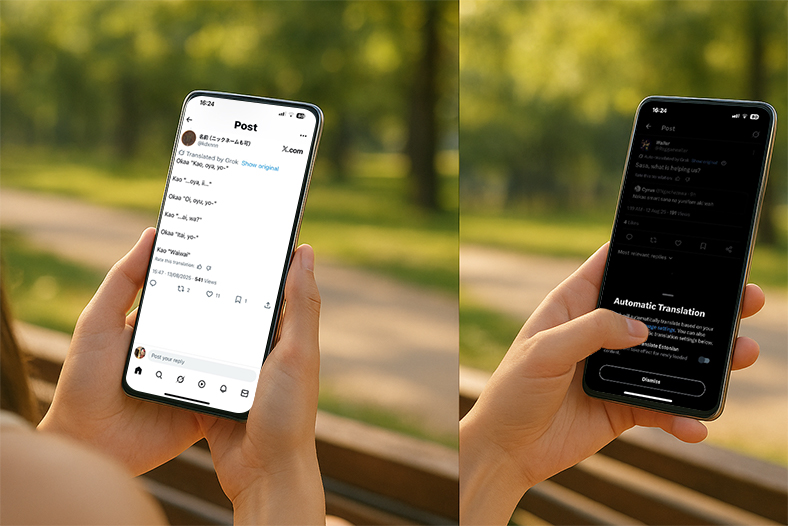
Auto and manual modes – Either automatically translate all posts or use the "Translate Post" option on-demand.
Replacement display style – Translations replace the original text instead of showing both, a change that has drawn mixed feedback.
The aim is to make cross-language conversations on X seamless, though translation accuracy can still vary with complex or slang-heavy content.
New Changes in Grok Translation on X
More languages supported
In addition to Japanese, Grok can now automatically recognize and translate posts from multiple languages around the world and convert them into the preferred language set by the user.Becoming the default translation tool
X has gradually replaced Google Translate, and Grok is now the only built-in translation engine in the platform.The translation display method is
different from the traditional display of original text + translation. Grok will directly replace the original text with the translation results, which is also something some users are not used to.Improved accuracy:
The new version reduces the early problems of "misunderstanding the context" or "mistranslation", and is closer to the meaning of the original post.
How to Use Grok Translation on X (Step-by-Step Guide)
Step 1: Update the X App
Ensure your iOS or Android app is running the latest version.
Step 2: Set Your Preferred Language
Go to Settings & Privacy
Select Languages
Choose your target language (e.g., English)
Step 3: Enable Auto-Translation
In the Translate Posts settings, turn on Auto Translate to automatically translate all posts into your preferred language.
Step 4: Use the "Translate Post" Option
On any post, tap the "···" menu, then select Translate Post for instant AI translation.
Step 5: Turn Off or Adjust Translation Settings (Optional)
Currently, you cannot switch back to Google Translate, but you can disable auto-translation to view original posts.
How to improve the accuracy of Grok translation
Avoid vague expressions: Use clearer sentence structures and standard grammar when posting.
Add context: When quoting content or using tags, it's best to include a brief explanation so the AI can understand it.
Verify the translation: In important communications (business/academic), it is recommended to use other translation tools (such as DeepL, Google Translate) for secondary verification.
Report errors: If you encounter obvious errors, you can click "Report translation issue" to submit feedback to X to help optimize the model.
Pros and Cons of Grok Translation
Pros
Supports more languages worldwide
Integrated in X for easy access
Continually improving context understanding
Cons
May misinterpret jokes, puns, or culturally specific content
No option to revert to Google Translate
Translations sometimes replace original text, making side-by-side comparison difficult
Why Grok Translation Is Worth Watching
AI-Driven Social Media: X is integrating AI into recommendations, content creation, and now translation.
Cross-Cultural Communication: Ideal for international news, communities, and creators.
SEO and Content Opportunities: Quickly localize foreign content into your market's language.
Final Thoughts
The expanded Grok Translation feature marks a major step in X's AI-driven evolution, making it easier for users to connect across language barriers. While the early rollout faced criticism for accuracy issues, ongoing improvements suggest a better user experience ahead.
For creators, brands, and global communities, mastering Grok Translation can help you engage with a broader audience—just be aware of its limitations and verify critical translations when needed.
Have you tried Grok Translation yet? How does it compare to Google Translate for you?