YouTube has rolled out several useful updates that can make a real difference for creators: doubling the image limit in Community Posts, editing videos with Auto-Dub enabled, and adding more Call-to-Action (CTA) button options in YouTube Promote campaigns. Whether you're a video blogger, a brand marketer, or an independent creator looking to grow your channel, these updates can make your workflow smoother and your content more impactful.
This article will take you through the changes of each function in detail and attach practical operation tutorials.
What new features has YouTube updated recently?
Community Posts – More Images Per Post
Image limit increased from 5 to 10 per post
Rolling out on all devices globally
Auto-Dub Editing in Studio Editor
Creators can now edit Auto-Dub-enabled videos
Dubbed audio is automatically reprocessed to match edits
YouTube Promote – More CTA Button Options
New CTAs like Book Now, Get Quote, Contact Us
Currently desktop-only for "More Website Visits" campaigns
These updates aim to make content creation, audience engagement, and marketing on YouTube more efficient and customizable.
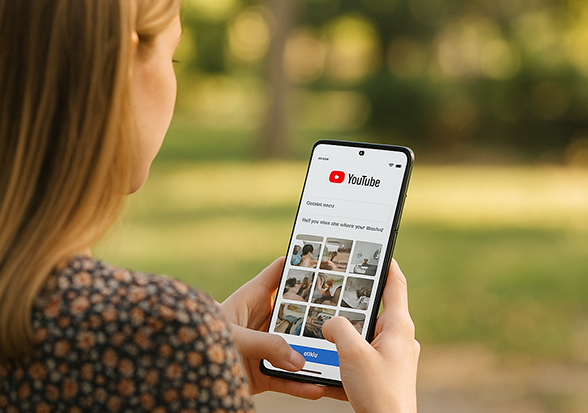
1. Community Posts: Image Limit Increased to 10
What's New
Old limit: Up to 5 images per Community Post
New limit: Up to 10 images per post
Availability: Rolling out on all devices this week
Why It Matters
Share richer visual stories (event highlights, step-by-step tutorials, behind-the-scenes)
Increase audience engagement and time spent on your posts
Deliver complete narratives within a single update
How to Use
Go to YouTube Studio or your channel's Community tab
Click "Create Post" → "Image Upload"
Add up to 10 images at once
Combine images with text captions or polls to encourage interactions
Pro Tip
For tutorials, use 1 Community Post to display 10 step-by-step images
Make the first image an eye-catching cover to boost clicks
2. Auto-Dub: Now Editable and Automatically Reprocessed
What's New
You can now edit Auto-Dub-enabled videos directly in Studio Editor
After saving changes, YouTube automatically regenerates the dubbed audio to match your edits
Available to: All verified YouTube creators
Editing for manually uploaded multi-language captions will be available later this year
How to Use
Open YouTube Studio
Select a video with Auto-Dub enabled and click Edit
Make your edits in Studio Editor
Save changes – the dubbed audio will be reprocessed automatically
Usage Tip
Great for channels with international audiences
When editing, adapt cultural references for specific language markets
3. YouTube Promote: More CTA Button Options
What's New
More granular CTA buttons are now available when setting up a campaign for More Website Visits
Example options: Book Now, Get Quote, Contact Us
Currently available only on desktop
How to Use
Go to YouTube Studio → Promote
Create a campaign and set the goal to More Website Visits
Choose the CTA button that best matches your conversion goal
Set your budget, audience, and campaign duration
Best Practices
Online education? Use "Book Now" to drive sign-ups
Service business? Use "Get Quote" to increase inquiries
Content creators? Use"Subscribe" or related engagement CTAs
Pro Tips for Combining These Features
Integrate Them Together
Use multi-image Community Posts to warm up your audience, Auto-Dub to reach global viewers, and Promote with targeted CTAs to drive conversions.Diversify Your Content Formats
Mix casual Community updates, in-depth videos, and strategic promotions.Track and Optimize
Use YouTube Analytics to measure which CTAs, image styles, and content types deliver the best performance.
Final Thoughts
While none of these features are groundbreaking individually, together they offer three major benefits:
Richer audience engagement through more visually appealing Community Posts.
Better multilingual content management with editable auto-dubbing.
More precise marketing conversions thanks to expanded CTA button options.
Action plan for creators:
Post at least one multi-image Community Post per week to maintain engagement.
Use auto-dubbing to expand your reach into non-English-speaking markets.
Align your CTA choice with your business goal to maximize ad ROI.
Will you try the new CTA buttons in your Promote campaigns? Do you see Auto-Dub editing as a game-changer for your global audience?