Recently, YouTube is quietly testing an exciting update: Comment Threading, which is currently available to some Premium users (iOS & Android) . This feature is designed to optimize the interactive experience in the comment area, and for content creators, it may become a "hidden weapon" to increase fan stickiness and topic depth.
This article will deeply analyze the actual use of this feature and provide specific practical suggestions to help you plan the content strategy of the comment area in advance.
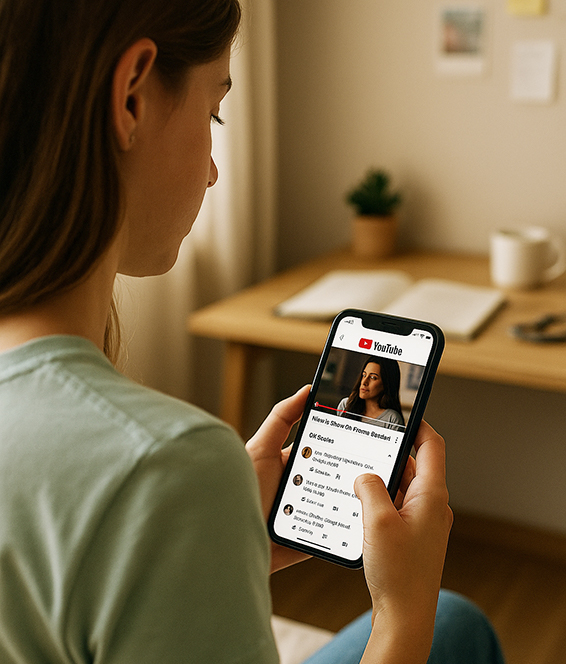
What is the Comment Threading feature on YouTube?
In the past, replies in YouTube comment sections were relatively flat, and replies under a main comment could easily be drowned out, and users often had to "climb over mountains and hills" to trace the context.
Now, the comment threading feature combines the main comment and all its replies into a "conversation thread". Clicking "X replies" will expand a dedicated reply panel and read the entire conversation in a clear hierarchical structure.
Feature highlights are as follows:
Tree structure display: It is easier to understand the entire interactive logic
Support mobile viewing: Currently available on iOS and Android App for testing
Expand sub-comments without refreshing: smoother interaction and lower user churn rate
Official YouTube description:
"Comment threading provides a more focused reading experience and helps users easily understand conversations."
What is the use of this function?
Optimize the comment section structure
Previously, the comments section was linear and disorganized. Now, the structure is clearer, and the key discussions can be focused on one topic, which is not easy to be drowned out.Enhance audience participation
Users are more willing to respond to existing opinions, especially when the logic is complete and there is context, which is conducive to forming a "multi-level" deep interaction.Helps manage comments
Creators can more easily locate controversial points, popular opinions and high-quality replies, saving time.
Practical Tips: How can creators use the Comment connection function to enhance Interaction?
1. Set a "hot topic" question at the end of the video
End your video with a question that is controversial or requires explanation, such as:
"What do you think of this practice?"
"If you were the protagonist, what would you choose?"
"Did anyone else notice this detail as well as I did?"
The purpose is to induce the first level of comments from the audience, thereby triggering cascading interactions.
2. Strategically respond to comments
For high-quality comments, don't just say "thank you"; ask follow-up questions to guide discussion, such as:
"You mentioned that AI will replace human creation, so which jobs do you think are the most dangerous?"Use this method to create "multi-story" dialogue trees.
3. Differentiate comments by topic to create a "sense of community"
You can prompt viewers to comment by topic in the top comments, for example:
"If you have any questions about the content of the video, please leave a message here"
"Share your favorite line and see who has the same taste!"
This type of "comment zone" will guide the audience to interact more actively and focusedly.
4. Use comment threads as inspiration for topic selection
With a clearer structure for serial comments, creators can easily filter out content with high discussion value.
Hot topics can be directly used in the planning of the next video, forming a "content closed loop".
Why is this feature important to creators?
In YouTube's recommendation mechanism, "interaction rate" is an important factor in determining the spread of videos. The comment area has never been just a place for viewers to express their opinions, it is a bridge for the "secondary spread" of videos. And this new feature is redefining the "value of comments" from the bottom up.
Reason 1: Extend user stay time
The linked comment tree is more like the hot comment chain on Reddit or Weibo, which will prompt users to "get to the bottom of the matter" and read the entire conversation, which greatly increases the time they stay on the video.Reason 2: Highly interactive content is more likely to go viral
Your brilliant opinion in the comment section or analysis of a problem is likely to be quoted and replied to repeatedly. Now the serial display will make this multiple rounds of interaction more "visible", so that it will be marked as high-interaction content by the YouTube algorithm and increase the recommendation weight.Reason 3: One more front for content operation
For creators, the comment area is no longer just a place to "maintain public opinion", but also a place to extend content, drive discussion, and stimulate topics. Through structured comment management, you can truly operate a "small community outside of the video".
What types of video content are suitable for this function?
Comment chaining is particularly suitable for the following video types:
Hot topic discussion (current affairs, opinion output)
Experience-based tutorials/reviews (audiences have the desire to supplement and refute)
Emotional/life stories (easy for the audience to relate to)
Voting interaction (supporting A or B views)
What should creators do?
Short video creator:
Plan comment guidance in advance and use the "short message + comment" model for two-way interactionProfessional video host:
Provide in-depth Q&A in the comment section to ensure the complete implementation of the knowledge chainBrand or MCN operator:
Use comments to control public opinion and guide word-of-mouthPersonal UP:
Participate in the comment section of popular videos and make "presence-type speeches" to attract traffic
Function launch time and acquisition method
The feature is currently being tested in grayscale on mobile devices of YouTube Premium users (iOS and Android), and YouTube has not yet announced the time for full promotion.
Creators can pay attention to whether their app has an "X replies" clickable interface to determine whether to enter the testing group.
Prediction of future trends: YouTube is building a "comment as a community"
The comment chaining feature is not an isolated upgrade, but part of YouTube's continued promotion of "social interaction" in recent years.
From the previous "pinned comments", "heart-moving likes", "community posts", to the current "serial replies", we can see that the platform is increasingly hoping to:
Leave the user in the comment area
Extend the impact of your content with comments
Let UP hosts and viewers establish a longer-term relationship
In other words, whoever operates the comment section well will have a channel that is more stable and longer.
Summary
Comment concatenation is an upgrade of the underlying structure. It not only improves the user experience, but is also an important weapon for creators to operate the comment area.
While we are still in the testing phase, the sooner you get familiar with the serial comment gameplay, the more you can take the initiative in future rules.
Do you have any tips for running the comment section? Have you used similar "building within building" interaction techniques?



