Meta's social platform Threads has made a new move! This time it's not an algorithm optimization or a new tag, but the highly-requested picture private messaging function is officially launched!
Many users said: "I've finally waited for it. Threads can also send pictures and private messages like Instagram and X (formerly Twitter)!" So how do you use this new feature?
This article will give you a comprehensive explanation.
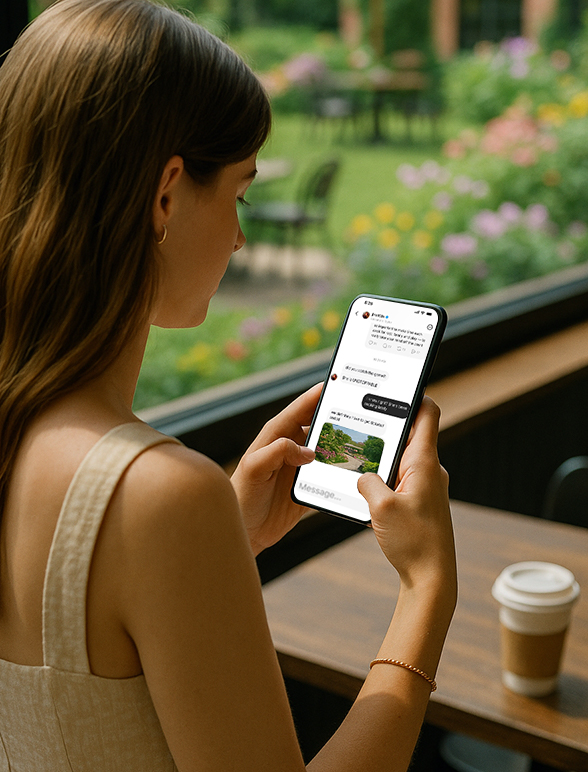
What is the photo sharing feature of Threads?
To put it simply, the picture sharing function means that you can send pictures in private messages (DM) in Threads.
This feature allows you to send pictures from your phone's photo album or take a photo and send it directly during a one-on-one conversation with others, just like you use pictures to chat on WeChat, Instagram, and Telegram.
Specific support content includes:
Send local photos (album)
Send immediately after taking the photo (real-time shooting)
The image is displayed inline in the private message conversation
The official description is also very simple and direct:
"In your inbox, open an existing conversation or start a new one and tap the '+' icon in the bottom left corner.
Select 'Media' to send an image from your camera roll, or tap 'Camera' to take a new photo and send it."
Its launch means that Threads has officially acquired the most basic picture and text private messaging capabilities of a mature social platform, and is an important step in Threads' "de-Instagrammability".
How to send pictures in Threads private messages?
Here are the steps:
1. Open the Threads app
2. Click the "envelope icon" in the upper right corner (enter your inbox)
3. Open an existing chat or click "+" to start a new chat
4. Click the "+" icon in the lower left corner
5. You will be presented with two options:
Media: Select photos from your photo album and click "Send".
Camera: Click this to open your phone's camera.
If you select Camera, follow these steps:
6. Take a photo → Click "Use Photo" when you're satisfied
7. Threads will automatically add the photo to the input box for preview
8. Click "Send" to send to the other party
Tips:
If you are not satisfied with the photo after taking it, you can click back to take it again.
Currently, video recording is not supported, only static images can be sent
No additional editing is required when sending pictures, and they will be displayed in the conversation immediately after sending
Recommended usage scenarios
Quickly upload pictures: For example, when you see a hilarious tweet or a screenshot of Moments, you can directly send it to your friends to complain.
Photography enthusiasts: You can share new works instantly and get feedback.
Work collaboration: product images, layout drafts, and creative sketches can be sent with one click.
Social expression: Adding pictures during chat makes it more vivid and more interesting.
How to make good use of the picture private message function?
For content creators:
Send exclusive behind-the-scenes photos, creative sketches, and daily photos to get closer to fans
Use pictures to answer questions instead of text explanations, making communication more intuitive
For brand accounts:
Send coupon pictures, QR code pictures, and product pictures in private messages to increase private domain conversions
Organize fan activities, with more ways to play, such as picture authentication, picture sharing and lucky draw
For ordinary users:
Share daily life, emoticons, screenshots to enhance the real social feeling
Make communication more interesting and easier, lowering the threshold for text
Future Outlook: In what directions will the DM function be expanded?
Based on Meta's current trends, we have reason to believe that Threads DM may upgrade these features in the future:
End-to-end encryption (E2EE) protects privacy
Support group chat (Group Chat)
Video and voice message support
GIF and sticker functions
AI assistant replies, automatic question and answer plug-ins, etc.
The DM ecosystem is moving from basic communication to a "social closed loop".
Conclusion
Although the launch of the picture private messaging function is just a "small update" of Threads, it may become a key step in its transformation from an "accessory" to a "main platform."
If you haven't updated Threads yet, you might as well try this feature, post a few pictures and chat with your friends.
Perhaps this will be the beginning of your love for Threads again.
Have you experienced this new feature? Do you think it has changed the way you use it?



