Meta's Threads is growing rapidly, with its user base exceeding 350 million, making it one of the world's most promising real-time text-based social platforms.
In order to enhance the user experience, Threads has once again upgraded its " Hidden Words " setting, allowing users to better filter out content they don't want to see, whether it's uncomfortable remarks, spoilers, or topics of no interest.
Today, we will explain this update in detail and teach you how to use the hidden word feature of Threads to create an exclusive, clean and comfortable social environment.
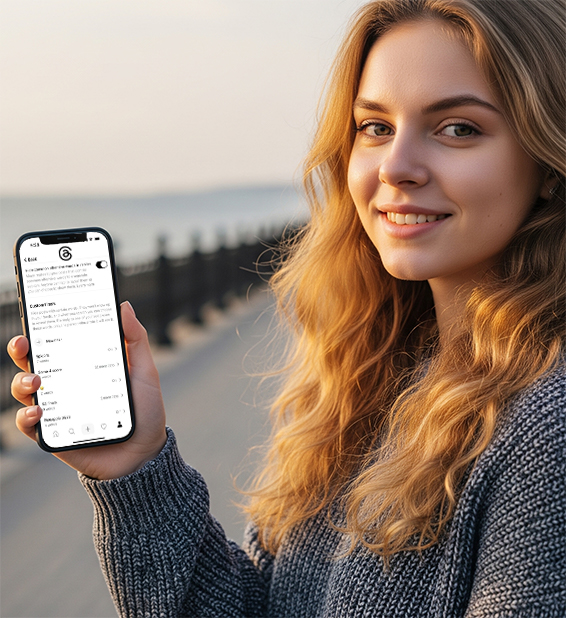
What is Threads' "Hidden Words" feature?
"Hidden Words" was originally a content filtering feature of Instagram that can block comments and private messages with specific words or expressions. Now, Threads not only uses this feature, but also has important upgrades:
Customize keywords, phrases and emojis
You can set the filtering time range (up to 30 days)
One -click to turn on the blocking switch for "offensive content"
No longer dependent on Instagram settings, can be managed independently
This means that you can flexibly block certain sensitive words or recent hot topics according to your needs to avoid "stepping on mines" when browsing Threads.
Detailed tutorial: How to enable and set the "hidden word" function?
Step 1: Open the Threads App
Make sure you have updated to the latest version.
Step 2: Enter the Threads Settings
Open the Threads app
Click on your profile picture in the lower right corner → the "≡" icon in the upper right corner → Settings
Step 3: Find the "Hidden Words" option
Select "Privacy" on the settings page
Click on "Hidden Words"
Step 4: Set filtering content
You will see three main options:
1. Toggle Offensive Content
Once turned on, the system will automatically filter content with offensive language.
2. Add custom vocabulary
Click "Add a word/phrase/emoticon"
For example: add unwanted words or expressions such as "ending", "XX fans", etc.
Supports batch adding, just separate them with English commas.
3. Set blocking time
Each word can be temporarily blocked for a period of time (up to 30 days)
Automatically restore display after expiration
Step 5: Save settings and exit
The system will automatically apply your settings without restarting the app.
Example usage scenarios
Here are some real-life scenarios to help you better understand how the "Hidden Words" feature can be used:
1. Avoid spoilers
Keyword settings: Character name, play title, "ending", "spoiler"
Scenario description: You haven't finished watching the recently popular drama yet, but social media platforms are already full of discussions revealing the plot. Block related words in advance and watch the drama slowly and safely.
2. Temporarily block the results of sports events
Keyword settings: "Score", "Goal", "Team Name"
Setting time limit: within 24 hours
Scenario description: You missed the early morning game recording, and just want to watch something else when you are browsing Threads during the day to avoid having the plot "revealed" and the score.
3. Avoid negative emotions or sensitive events
Keyword settings: "Breakup", "Depression", "War", "Controversy"
Setting time limit: 30 days
Scenario description: Some hot events can affect your emotions, especially when you are in a low period. You can block these contents to protect your mental health.
4. Eliminate repetitive marketing content
Keyword settings: "Quick grab", "New product", "Discount code"
scenario description: If you don't want to be recommended by influencers or have your screen filled with advertisements, you can temporarily filter these keywords to get a more refreshing browsing experience.
5. Give yourself a few days of "noise reduction"
Keyword settings: popular buzzwords, funny emoticons, emoticon text, etc.
Scenario description: If you don't want to be distracted by popular online content in the short term, use "hidden words" to keep yourself quiet for a few days.
This kind of flexible setting makes Threads not only a content platform, but also a social space that you can actively shape.
Why should you use this feature now?
Filter out spam: Reduce arguments and provocations with low emotional value
Take the initiative to control the rhythm: When you are depressed and anxious about information, define your own "social noise reduction period"
Get rid of spoiler troubles: "Spoiler blocking" is a must during the release of movies and TV series!
Moreover, Threads is no longer completely dependent on Instagram accounts. In the future, you can even create a separate Threads account and enjoy a completely independent user experience.
What does this mean and how can you cope with it?
For ordinary users
Have more control: Finally, you don't have to "endure bad reviews" anymore;
Manage emotional triggers: set keywords in advance to protect mental health.
For content creators/brand operators
More sophisticated audience management: Understand which words may be blocked and adjust content keyword strategies;
Improve the quality of interaction: block out sarcasm and allow real discussions to remain.
Threads is moving towards an "independent social platform"
Behind this update, two important signals are released:
1️. The "turning point" away from Instagram appears
In the early days, Threads' recommendation and filtering systems relied almost entirely on Instagram accounts;
Now, not only can you set content filtering independently, but you are also testing the ability to register a Threads account independently;
This shows that Meta is accelerating the promotion of Threads to become a parallel but independent platform to IG.
2️. The content experience is gradually moving closer to Reddit/Twitter-style communities
Guide users to proactively "manage information exposure";
In the future, Threads is more likely to move towards topics, communities, and discussion-driven atmospheres;
Rather than just being an "extension of Instagram" or a "copy of Twitter".
Conclusion
With more than 350 million users, Threads has become one of the fastest growing social platforms. Meta is gradually transforming it from an Instagram "attachment" into a true text communication community.
Have you tried the hidden words feature of Threads? Which keywords or emojis would you set to block?