Recently, Facebook officially announced that it will fully support Passkey login on iOS and Android platforms to further enhance user account security. This update also means that users will be able to log in to Facebook securely through fingerprints, Face ID or device PIN codes without having to enter traditional passwords.
With TikTok, LinkedIn, X (formerly Twitter) and other platforms already having their presence, Meta's move may seem a little late, but it is still an important upgrade worthy of attention.
This new feature not only improves account security, but also significantly improves the login experience. So, "what is Passkey? Why is it safer? And how to turn it on?" This article will give you a comprehensive analysis.
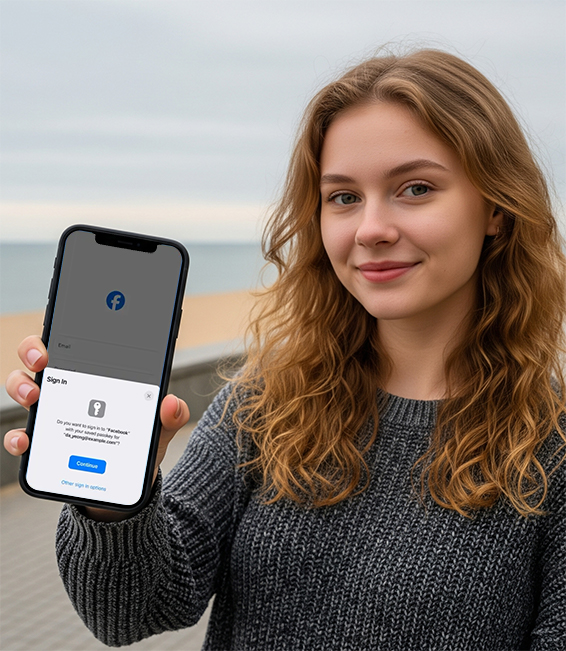
What is Passkey Login?
Passkey is a secure login method that replaces the traditional username + password. It uses your fingerprint, facial recognition, PIN code, or physical security key to verify your identity.
Core advantages:
No need to enter a password, log in faster;
Supports Face ID, Touch ID, biometrics or device PIN verification;
Anti-phishing attacks, hackers cannot obtain your login information through fake websites;
Login credentials are only saved on your device and cannot be stolen on the server side;
Cross-platform support, Apple, Google, and Microsoft ecosystems are all interoperable.
In other words, even if someone gets your Facebook username, they can't remotely hack it unless they can unlock your phone.
Facebook Passkey Features Detailed Explanation
Functionality coverage:
Supported devices: iOS and Android are fully supported;
Compatible applications: Facebook is the first to be launched, and Messenger will follow later;
Additional uses:
1. Support automatic filling of Meta Pay payment information through Passkey;
2. Can be used to protect encrypted message backups.
Security encryption principle:
Passkey uses public key and private key encryption mechanism:
The private key is stored on your device and never uploaded;
When logging in, the system signs the challenge message with the private key, and the remote server verifies the identity with the public key;
This means that even if the server is compromised, your login credentials cannot be forged.
How to enable the Passkey feature on Facebook?
Currently, the Passkey feature has been gradually opened in some regions. You can check and set it up by following the steps below:
Setting path (applicable to iOS and Android):
1. Open the Facebook app
2. Go to the "☰ Menu" in the lower right corner
3. Click [Settings & Privacy] > [Settings]
4. Find [Accounts Center]
5. Click [Password & Security] > [Login Method]
6. If your device supports it, you will see the [Set Passkey] option
7. Follow the prompts to enable biometrics or PIN to complete the setup
Note: This feature may be gradually being pushed. If it does not appear yet, please try again later.
Why did Facebook introduce Passkey?
Facebook has always been a popular target for hacker attacks, especially since many users have linked their accounts to other services (such as Instagram and Meta Pay). Once stolen, the consequences can be serious.
The introduction of Passkey has the following key purposes:
Prevent remote hacking attacks;
Protect Meta Pay payment information and encrypt backup;
It will soon be expanded to Messenger to improve the security of the overall ecosystem;
Integrate with platforms such as TikTok and LinkedIn to enhance security competitiveness.
Is Passkey suitable for everyone?
if you:
Commonly used Facebook, Messenger and Meta Pay;
Worried about account theft;
Don't want to remember a bunch of passwords anymore;
The device supports Face ID or fingerprint recognition;
Then I strongly recommend turning on Passkey, which will be the mainstream login method in the future.
FAQ
Q1: What to do if there is no Passkey login entrance?
A: It is possible that your device has not yet been updated. It is recommended to try again later or keep the latest version of the App.
Q2: Can I still use a password after enabling Passkey?
A: Yes. Passkey is optional, you can still use traditional password or two-factor authentication (2FA) to log in to other devices.
Q3: Can Passkey still be used after I change my phone?
A: After changing your phone, you need to re-set up Passkey on the new device. You can still use your password or other methods to log in to Facebook and enable the Passkey feature again.
Conclusion
After X (formerly Twitter), TikTok, and LinkedIn launched Passkey, Facebook finally joined the "password revolution."
In the near future, we may no longer need to remember a password. In the future, Meta will also promote this feature to Messenger and more ecological services to bring a more unified and secure user experience.
Have you turned on Facebook Passkey login?