Spotify recently launched a wave of important updates to its mobile app, especially a new upgrade around the "Podcast" experience. Whether you are a heavy podcast user or a novice who has just started listening to podcasts, this update may greatly change the way you use Spotify!
This article will give you a comprehensive understanding of the new podcast-related features recently released by Spotify, and teach you step by step how to use these practical tools to improve your podcast listening experience.
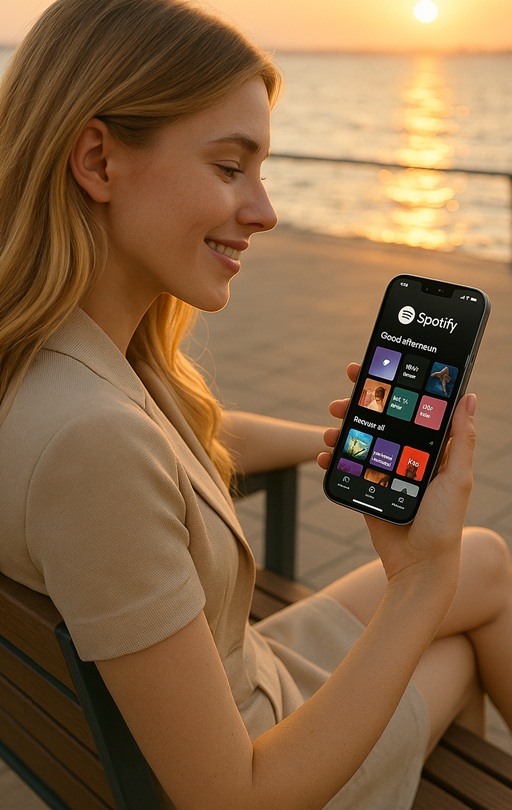
What are the new feature highlights in this update?
Spotify officially admitted in a blog post that it was "not easy" to find the latest episode of your subscribed podcast in the past. This update aims to solve this problem:
New "Following" podcast dynamic stream (Following Feed): View the latest updates of the podcasts you subscribe to in one place.
Recommended podcast content on the homepage: Podcasts are recommended based on your preferences, located below the "Shortcuts" on the homepage.
New features for creators:
1. You can recommend songs, podcasts, playlists, and more mentioned in the show.
2. You can use Emoji comments to reply to listeners' messages.
3. The comment function can be turned on/off and is controllable independently.
Spotify is competing fiercely with Apple Podcasts and YouTube Podcasts, and these new features are its major moves to increase its investment in the podcast ecosystem.
1. Good news for podcast lovers: the new "Follow" feed is online
Feature highlights:
Spotify has finally heard the voice of users: Finding the latest content of the podcasts you follow has always been a problem. Now, the new "Following Feed" brings together the latest episodes of all the podcasts you follow and displays them in the podcast section on the homepage. Say goodbye to tedious searches and go directly to them with one click!
How to use:
1. Open the Spotify mobile app
2. Click the Podcasts button in the top navigation bar.
3. Then click the "Following" button on the right.
4. You can view the latest collection of all the podcasts you follow
Practical advice: Turn on the notification function. When the podcast you follow is updated, you will receive a push notification immediately and never miss any exciting content.
2. Easier to discover good content: Smarter podcast recommendations on the homepage
Spotify is bringing personalized recommendations to podcasts. Starting today, users will be able to see podcast and video podcast recommendations tailored to their interests on the Home page, below the shortcuts, so you can explore new shows at any time.
Recommended highlights:
Recommendations based on your historical playback, collection, and likes
Includes audio podcast and video podcast content
Can be played or saved directly to improve discovery efficiency
Tip: By liking your favorite podcasts, the system recommendations will be more accurate.
3. New tool for creators: content citation + comment interaction double upgrade
Spotify not only takes care of listeners, but also launches a number of new features for creators:
Content reference function (coming soon):
Podcast creators can add links to Spotify content related to their show in each podcast episode, including:
Other Podcasts
song
Audiobooks
Playlists, etc.
Example use case: When mentioning a song or another podcast in a podcast, simply attach a link to the program page so users can jump to the program with one click.
Comment interaction + emoticon response:
The comment function on the podcast page allows creators to respond to fans' messages using emojis
Creators can choose to turn on or off comment area management permissions
Entry tips : Log in to your Spotify for Creators account and manage comment display permissions and interaction methods in the background.
Video podcasts continue to gain momentum: opening up new ways of creation
Against the backdrop of continued growth in video content consumption, Spotify is also vigorously promoting the "Video Podcast" feature, and currently all creators can upload video content.
In addition, through Spotify's Partner Program, podcasters with outstanding performance will have the opportunity to receive incentives to attract more high-quality content to the platform.
Why are these features worth paying attention to?
This round of updates by Spotify is not just a small-scale move, but also a "combination punch" in the competition with Apple Podcasts and YouTube Podcasts.
Data from the United States shows that YouTube has become the preferred platform for 1/3 of podcast users.
Spotify is also promoting video podcasts and offering incentive programs to attract creators.
This update starts from the user's usage scenario and truly solves the problem of "difficult to find and even more annoying to follow".
Conclusion: How should listeners & creators respond?
If you are a listener:
Use Following to follow the updates
Use "save/like" more often to cultivate algorithm preferences
Click on the homepage recommendation to discover new programs
If you are a creator:
Enable comment interaction to increase fan stickiness
Learn to recommend content on the program page
Pay attention to more features that will be launched in the future and plan the operation rhythm in advance
Have you used these new functions? Which new feature of Spotify are you most looking forward to? Is it intelligent recommendation or comment interaction?



