Do you remember Clubhouse, which became popular all over the world in 2021? That voice social software that was popular for a while due to the "invitation system" and sold for hundreds of dollars on eBay. Now, WhatsApp is quietly bringing back this wave of "voice social networking" - the group chat voice chat room function is officially open to all groups!
This new feature is not only easy to use, but may also set off a new trend of use in daily social interaction, family contact, and even small live broadcasts. This article will take you through the highlights of this feature and teach you how to use it step by step.
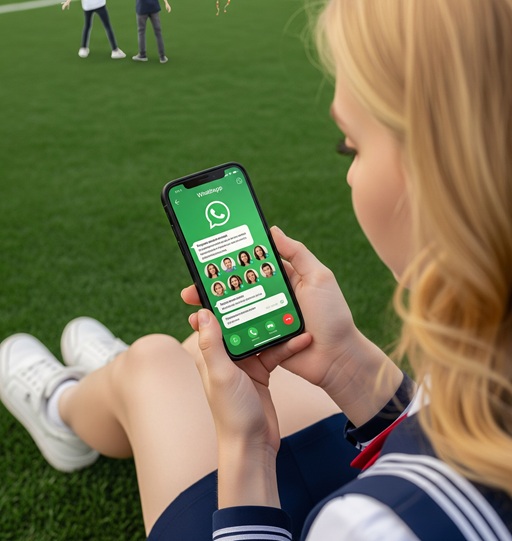
What is WhatsApp group voice chat room?
Previously, WhatsApp only allowed large groups of more than 33 people to use the voice chat function. Now, from the smallest group of three to the largest group of 256 people, everyone can use this feature!
WhatsApp officially stated:
"Whether it's an exciting football game, a TV show finale, or breaking news that needs to be shared immediately, sometimes you just want to speak up. Now you can open voice chat at any time in a group chat so that everyone can come and go at any time."
Simply put, this is a group voice call function that does not disturb, is not mandatory, and can be joined and exited at any time. You can think of it as an "evolved version of Clubhouse", but only for friends and family groups you are familiar with.
What are the highlight features?
Applicable to all groups : No longer restricted to large groups, even a small group of 2 people can open a voice chat room.
No need to make a phone call, easy to join : No need to initiate a call, no need to disturb others, members can enter and exit freely.
Fixed at the bottom, simple operation : The voice chat entrance is fixed at the bottom of the group chat, and you can control and participate at any time.
Send messages while chatting : Send text or pictures while voice chat, making the chat experience more three-dimensional.
How to enable WhatsApp group voice chat?
The operation is very simple, just follow these steps:
Step 1: Update your WhatsApp
Make sure you have updated to the latest version of WhatsApp (iOS/Android).
Step 2: Enter any group chat interface
No matter the size of your group!
Step 3: Long press the microphone icon at the bottom
1. Find the microphone icon in the bottom right corner
2. Swipe up and hold for a few seconds
3. You can create a voice chat!
Note: No notifications will pop up or disturb group members , they can join/leave on their own.
Step 4: The voice chat status will be displayed at the bottom of the chat interface
Group members can see who has joined
You can join/exit at any time
You can also turn off voice chat at any time
What are the usage scenarios?
Although voice social networking is no longer a hot topic, it may gain new vitality in the WhatsApp ecosystem:
Real -time comments while watching the game : Friends form a group to chat while watching the game
Family gathering audio room : a good choice when it is inconvenient for relatives and friends to video chat
Study group discussion area : more efficient than voice messages and easier than videos
Interest group small live broadcast: For example, explaining tarot card drawing, sharing at a book club, and meditating before bed - direct interaction with voice is more heartwarming.
Tips:
Make sure your group has more than two people.
Voice chat rooms will not be recorded, but please be aware of privacy issues.
The feature is still being rolled out gradually, and some users may need to wait for a few days.
Supports background operation : switching applications will not affect voice calls.
How is it different from Clubhouse?
Although they look similar, there are still many differences between WhatsApp voice group chat and Clubhouse:
Different relationships:
Clubhouse is mostly open chats between strangers, suitable for public topics;
WhatsApp voice is based on acquaintance groups, and the chats are more private and more trusting.Different ways to join:
Clubhouse requires you to actively enter the "room", and it is even managed by a host;
WhatsApp voice can join and leave at any time, without the need for an invitation, and there is no "entry" threshold.Different usage scenarios:
Clubhouse is more like a public speech or symposium;
WhatsApp voice is more like a casual chat between friends and is suitable for daily communication.Different operating experience:
Clubhouse is an independent APP and needs to be switched to use;
WhatsApp voice is directly integrated into the chat, without interruption or jump, and is available at any time.
In summary, WhatsApp Voice is lighter, more familiar, and closer to daily use, and is suitable for our needs to "say a few words" at any time in our existing social circles.
Conclusion
Although the craze for voice social networking has passed, integrating real-time voice interaction into a highly close chat ecosystem is an upgrade that is close to user needs. Especially for you and me who use WhatsApp to communicate every day, this feature may be more practical than you think.
Have you tried WhatsApp voice chat room? Do you think this feature is useful?