Hey everyone, in today's TikTok article, I want to show you five very important settings that you should change right now and I get a bonus one for you that'll save you a lot of space on your phone.
Suggest your account to others
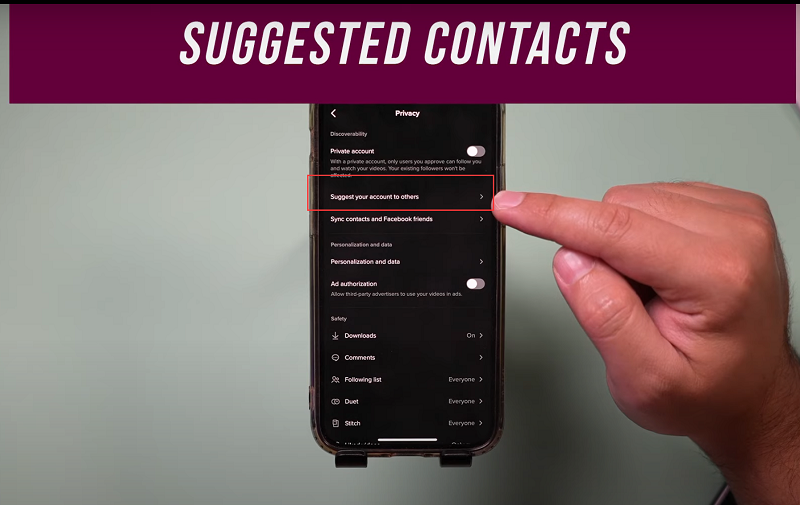
Click the three dots on the me page here to access your settings and on this page, first, I want you to click on privacy and then the first thing I want you to change is right here, it says, suggest your account to others and this one here too.
Hey everyone, in today's TikTok article, I want to show you five very important settings that you should change right now and I get a bonus one for you that'll save you a lot of space on your phone.
Suggest your account to others
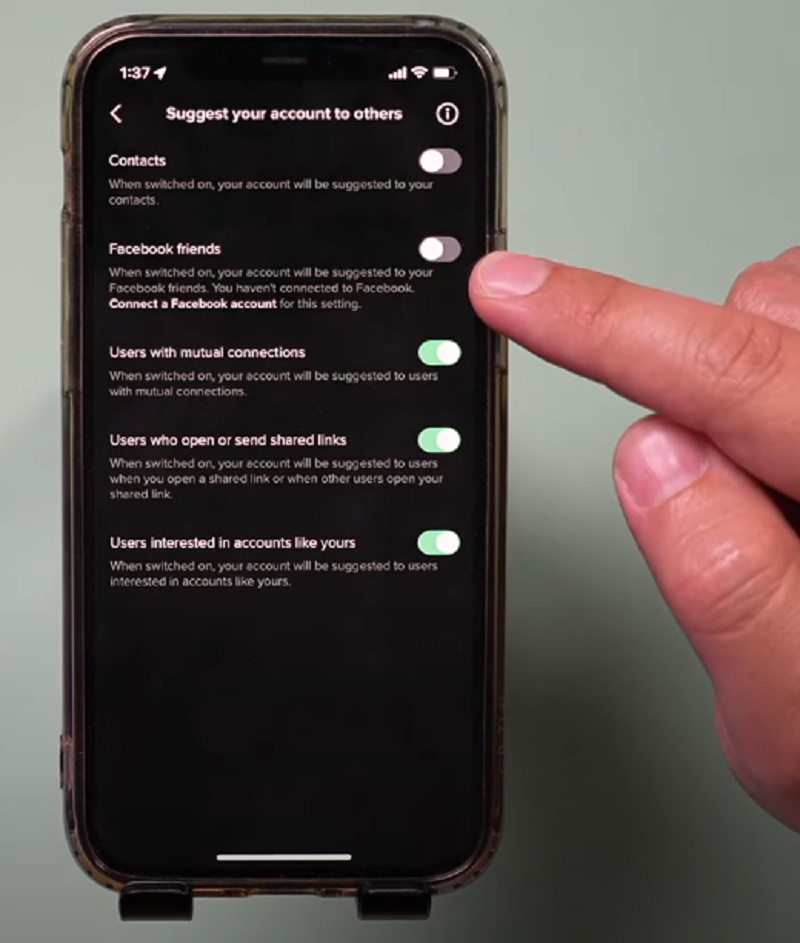
Click the three dots on the me page here to access your settings and on this page, first, I want you to click on privacy and then the first thing I want you to change is right here, it says, suggest your account to others and this one here too.
So basically by default, TikTok might be accessing your contact and your friend's list on Facebook if you give it access. So it turns those off, I don't want people to know my TikTok there and if you didn't give them access and you do want to give them access, this is where you turn that on instead of off.
2. Personalization and data
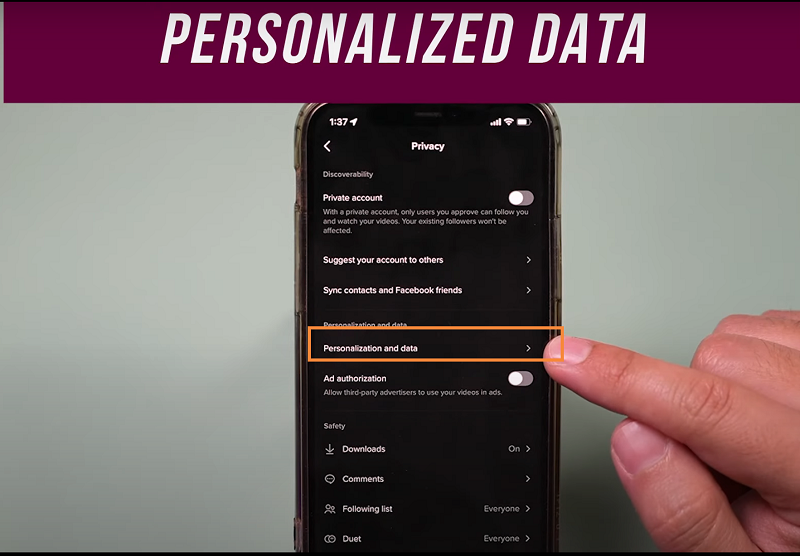
Next option is related to your data here.So if you select it, it says use off TikTok activity and add targeting. So if you don't want TikTok to track you in any way, go ahead and turn this off here, you could read all about it too, what it means here. You could also download all your TikTok information on this page too.
3. Liked Video
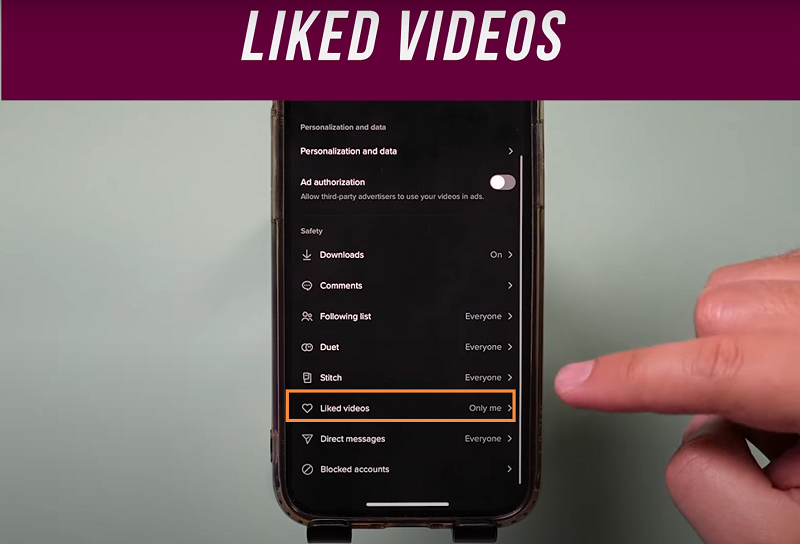
Back on the same page, if you go all the way down, there's this page that says like to videos, you could change this to only me so people on TikTok can't see the videos you've liked before. I like to keep this one private to just me. I'll show you a bonus one at the end here too. Right now, let's go to comments and I want you to turn this on right here.
4. Fliter Spam
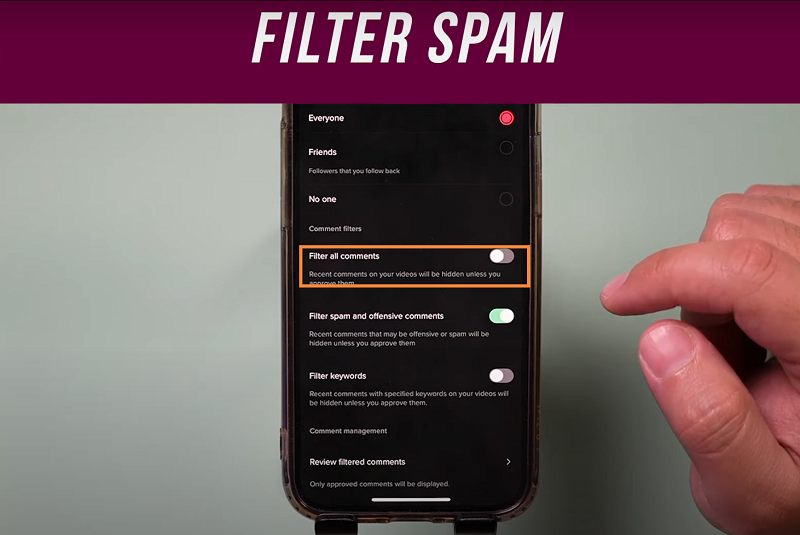
So filter keywords or filter spam comments. Make sure this is turned on and there are some keywords here. If you get offensive comments with keywords in it, you could turn this on and type in those keywords.Make sure you use these the best you can. Number five is under security and login.
5. 2 Step verification
Let's go to that page and there's an option here. It says two step verification. Make sure you turn this on and if someone still gets your username and password, they still can get into your account because it needs to send you a text message. Later, if you grow on TikTok, you could also turn on income plus verification. That's an additional step that I've turned on on my account. And the bonus option, if you scroll down here, there's this thing called clear cash. Basically TikTok may be caching information and it may take up a lot of space on your account here or on your phone. So if you selected, you could clear it back to zero megabytes.Thank you!