WhatsApp has introduced a major upgrade to its calling experience with the launch of Call Messages, a new feature that allows users to leave a voice or video message when someone doesn't answer a call. This update brings a more flexible, modern version of voicemail to WhatsApp, making missed calls far more useful than before.
This guide explains what the new feature does, why it matters, and how you can start using it immediately.
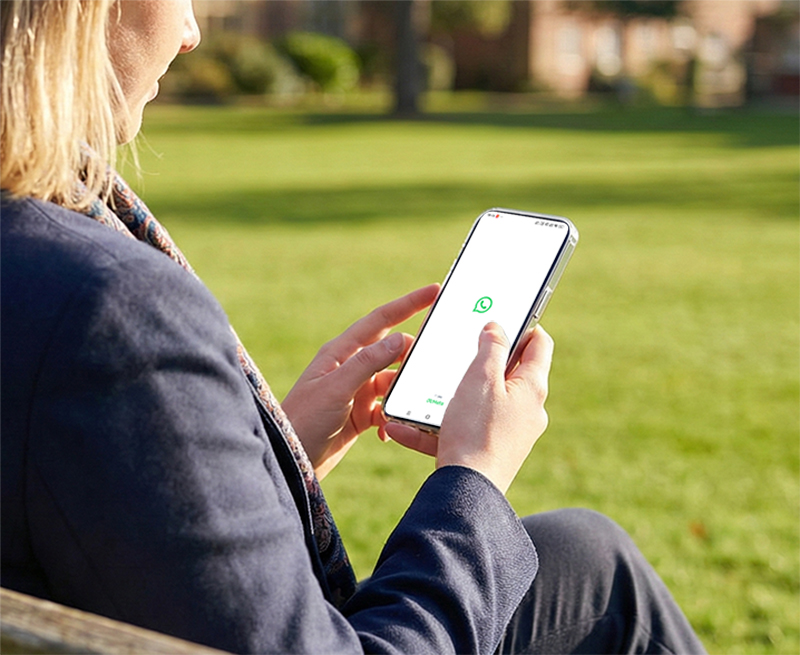
What Is WhatsApp's Call Message Feature?
The Call Message feature lets you record a quick voice or video note right after someone declines your call or fails to answer. Instead of ending the call with no context, WhatsApp encourages you to leave a short message so the other person knows why you tried to reach them.
The type of message depends on the call:
If you start a voice call, you can leave a voice message.
If you start a video call, you can leave a video message.
This makes the experience feel intuitive—no switching screens, no separate voicemail inbox, and no need for carrier services.
Why This Feature Matters for Users
The Call Message update targets a long-standing communication gap: what happens when calls go unanswered. Traditional voicemail is slow, outdated, and rarely used, especially among younger users. WhatsApp's approach is lightweight and integrated directly into chat, which means:
You can explain your reason for calling immediately.
The recipient receives the message in their normal chat thread.
Both people avoid the awkward "missed call + silence" situation.
It works globally without phone carriers or extra fees.
This feature naturally fits into modern messaging behavior and solves a recurring daily problem—missed calls with no context.
How to Leave a Call Message on WhatsApp
Using this new feature is simple, and the process happens automatically when a call goes unanswered. Here's how it works:
Start a voice or video call in any chat.
If the person doesn't answer, WhatsApp will show a recording interface.
Tap and hold the microphone icon to leave a voice message, or record a short video if you were making a video call.
Release to send the message instantly, or re-record if you want to try again.
The recipient will see a clear notification that they received a call message and can tap to listen or watch.
When Call Messages Are Most Useful
WhatsApp's new voicemail-style feature is especially helpful in situations where real-time calling isn't possible. Some common examples include:
When someone is in a meeting or busy.
You can quickly explain what you needed without waiting for them to become available.
When making urgent calls that go unanswered.
A short voice note lets you communicate time-sensitive information immediately.
When video calls are declined.
You can still leave a personal, expressive video message to convey emotion or context.
When staying connected with friends and family.
Seasonal greetings, quick updates, or missed birthday video calls all become more meaningful when you can leave a video message.
This flexibility makes conversations feel more natural—almost like a blend of real-time calling and messaging.
How Call Messages Compare to Regular Voice Notes
Although both features use audio recordings, Call Messages serve a completely different purpose. Voice notes are sent anytime within chat, while Call Messages only appear after a missed call. They act as a continuation of the failed call attempt, carrying emotional context and immediacy that regular voice notes don't always convey.
Users don't need to do anything special—WhatsApp automatically links the message to the missed call so the recipient instantly knows why you reached out.
Common Questions About WhatsApp Call Messages
Do Call Messages save automatically?
Yes, they appear directly in the chat and remain there unless manually deleted.
Can I disable the feature?
There is currently no option to turn it off, but you can simply choose not to record anything.
Do video messages affect storage or data usage?
They are compressed for efficient sending, similar to WhatsApp's existing video notes.
Is the feature available on all devices?
It is rolling out globally to both Android and iOS users.
Final Thoughts
WhatsApp's new Call Message feature modernizes the idea of voicemail and makes missed calls far less frustrating. Whether you need to explain something quickly, leave a friendly message, or follow up on work-related topics, the new system integrates seamlessly into everyday chat.
It's a small update with a big impact—and one that many users will likely adopt without even thinking, simply because it fits naturally into the way people already communicate.