Threads has introduced two new features — Reply Approvals and Activity Feed Filters — that give users more control over conversations and engagement on their posts. These updates aim to improve interaction quality and help creators and brands better manage their communities within the app. In this guide, we'll explain what these tools do, how to use them effectively, and why they matter for your Threads strategy.
What Are Reply Approvals on Threads?
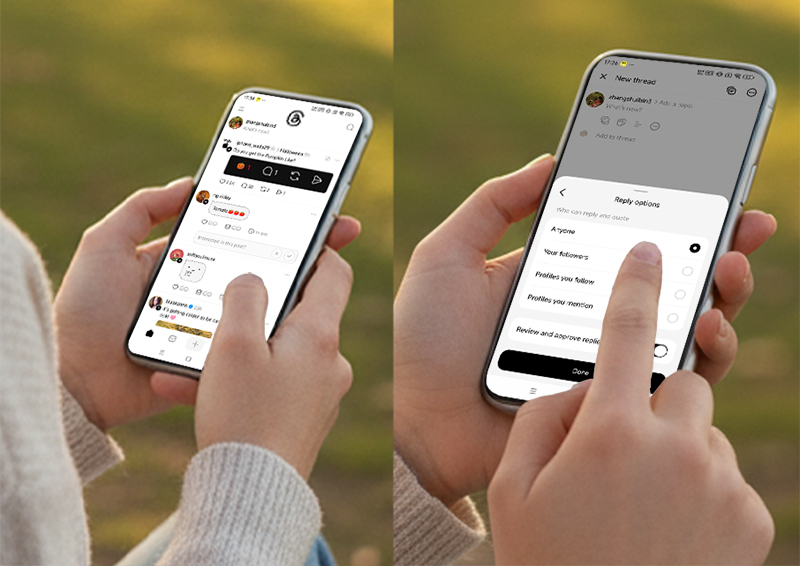
The new Reply Approvals feature allows you to review and approve comments before they appear publicly under your post.
This means no reply will be displayed until you've manually checked and approved it.
Key benefits include:
Preventing spam and unwanted comments.
Reducing toxic or irrelevant interactions.
Maintaining a positive comment environment.
Giving brands more control over public conversations.
When someone tries to reply to a post with reply approvals turned on, they'll see a message:
"Replies to this post require author approval."
Unlike turning off replies entirely, this feature avoids visible restrictions — meaning there's no public indicator showing that replies are pending, which helps reduce backlash.
Potential risk: Some users might interpret this as a form of content control or censorship, especially on sensitive topics. Use it thoughtfully to balance moderation with openness.
How to Enable Reply Approvals
To use this feature:
Go to your Threads settings.
Select Privacy → Replies.
Toggle on "Require approval for replies".
Review and approve comments from your notifications or post view.
Once activated, you'll be notified when someone replies, and you can decide which ones appear publicly.
How to Use Activity Feed Filters
Threads is also rolling out Activity Feed Filters, helping users sort their notifications and engagement more efficiently.
You can now filter your activity stream by:
People you follow – focus on interactions from trusted or important connections.
Mentions – see posts or comments where you're tagged to respond faster.
This is especially useful for creators, influencers, and brands managing high engagement levels. Instead of scrolling through hundreds of notifications, you can focus on what really matters — your audience and brand visibility.
Why These Features Matter for Creators and Brands
Threads has been gaining momentum, now surpassing 150 million daily active users and even overtaking X (formerly Twitter) in daily activity by some metrics.
With engagement up by 10% in recent months, optimizing your comment moderation and interaction management is becoming crucial.
These new tools help you:
Build a healthier, more engaging community.
Save time when managing replies and mentions.
Strengthen your connection with followers.
Maintain a professional brand image on the platform.
Best Practices for Using Threads' New Tools
Use Reply Approvals selectively — not every post needs it. Reserve it for discussions where you expect high engagement or controversy.
Regularly check your pending replies — don't let them pile up; timely engagement matters.
Leverage Activity Filters daily — focus on mentions and followed users to nurture relationships.
Combine both tools — filter your feed while moderating replies to maximize control and efficiency.



