OpenAI has officially launched ChatGPT Atlas, its first-ever AI-powered browser, marking a bold move to challenge Google Chrome and redefine how users interact with information online. This new browser brings conversational AI directly into your browsing experience — no more copy-pasting between tabs or juggling multiple tools.
In this tutorial-style article, we'll break down what ChatGPT Atlas is, how it works, and why it could transform your daily workflow.
What Is ChatGPT Atlas?
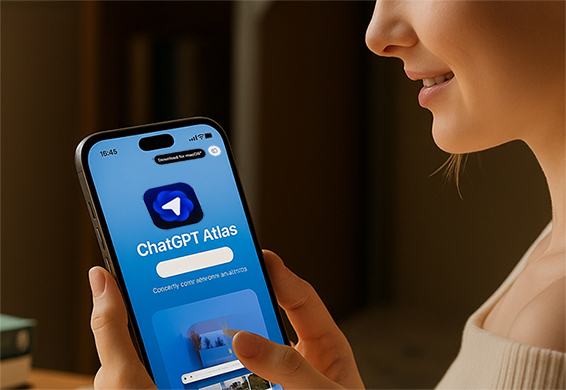
ChatGPT Atlas is OpenAI's next-generation browser that integrates the power of ChatGPT directly into the web experience. Unlike traditional browsers like Chrome or Safari, Atlas allows users to chat with their search results, summarize web pages, and even automate small online tasks — all within one window.
At launch, ChatGPT Atlas is available on macOS, with Windows, iOS, and Android versions coming soon. Best of all, it's free for all users, while premium features (like the AI agent) are reserved for Plus, Pro, and Business subscribers.
Key Features of ChatGPT Atlas
1. Built-In ChatGPT Assistant
You no longer need to switch tabs or paste content into ChatGPT manually. Atlas introduces a sidecar chat panel that automatically understands what's on your screen. This means you can:
Ask ChatGPT to summarize the page you're reading.
Translate or rewrite content instantly.
Get deeper insights or definitions without leaving the page.
This seamless integration makes research, studying, and writing faster and smoother than ever.
2. Smart "Browser History" for Personalization
One of Atlas's standout features is AI-powered browser memory.
The system can remember which websites you visit, what you do on them, and use that information to personalize future responses. For example:
If you often visit tech news sites, ChatGPT may tailor your search results toward trending AI or developer tools.
When planning a trip, it could recall your previous hotel searches and suggest better deals.
It's a browsing experience that learns and adapts — similar to a personal digital assistant.
3. Agent Mode for Web Automation
OpenAI is also introducing Agent Mode, a tool that allows ChatGPT to complete web-based tasks automatically.
You can tell Atlas things like:
"Book a flight from New York to San Francisco next weekend,"
"Compare prices for the iPhone 16," or
"Find and summarize the latest AI research paper."
Currently, this feature is available only to Plus, Pro, and Business users, but it represents a huge leap toward hands-free browsing powered by generative AI.
How to Get Started with ChatGPT Atlas
Here's a quick guide for new users:
Download ChatGPT Atlas (macOS version) from the OpenAI official website.
Sign in with your OpenAI account — free accounts are supported at launch.
Enable the Chat side panel on the right side of the browser window.
Start typing naturally, like:
"Summarize this page."
"Explain this article in simpler terms."
"Find similar sources."
(Optional) Upgrade to Plus, Pro, or Business to unlock Agent Mode and deeper web integrations.
Why AI Browsers Are the Future
AI browsers are emerging as the next big trend in tech, reshaping how people search and interact with information.
Competitors like Perplexity's Comet and The Browser Company's Dia are also racing to build similar tools, but OpenAI's tight ChatGPT integration gives Atlas a strong competitive edge.
Industry experts believe that AI-first browsing could one day replace the traditional search engine model entirely. Instead of typing keywords into Google, users may soon converse directly with an intelligent web agent.
Can ChatGPT Atlas Challenge Google Chrome?
With Chrome's 3+ billion users, it won't be easy. However, Atlas isn't just another browser — it's a conversational search platform built around user context and automation.
Ben Goodger, OpenAI's Engineering Lead for Atlas, emphasized during launch that "ChatGPT is the core of Atlas."
By combining browsing, chatting, and automation in one tool, OpenAI hopes to redefine how people "find and do" things online, not just how they search.
What's Next for ChatGPT Atlas
OpenAI plans to roll out mobile and Windows versions soon, followed by expanded "Agent Mode" capabilities. The company is also exploring third-party integrations — meaning Atlas could soon handle tasks like managing your emails, editing documents, or automating form submissions.
As AI tools become more connected and personalized, ChatGPT Atlas could evolve into the center of your digital workspace — an all-in-one hub for browsing, research, and productivity.
Final Thoughts
ChatGPT Atlas isn't just another browser — it's a preview of the AI-native internet.
For students, researchers, and professionals, this could become an essential productivity tool.
By bringing real-time AI context into every tab, OpenAI is turning the simple act of "browsing the web" into a conversation with the internet itself.