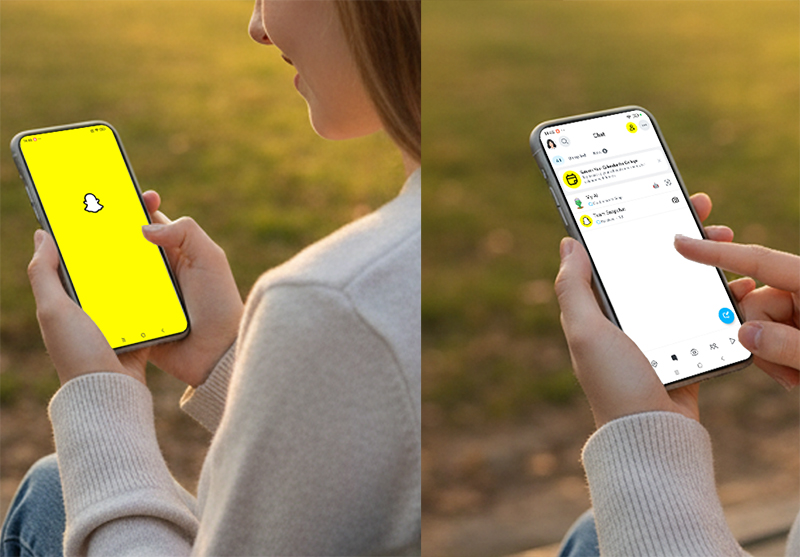
Snapchat has taken a big step in the AI creativity space by expanding access to its Imagine Lens, a generative AI tool that allows users to transform ordinary Snaps into imaginative creations. This step-by-step tutorial will guide you through how to access, use, and maximize this AI-powered Lens, while sharing tips to make your Snaps stand out.
What is Snapchat's Imagine Lens?
The Imagine Lens is Snapchat's latest AI-powered feature that turns text prompts into unique visual content. Initially available only to paying users, Snapchat now allows all users in the U.S. to try it for free, with planned expansions to Canada, the UK, and Australia.
With Imagine Lens, users can type a creative idea, such as transforming a room, testing outfit ideas, or generating clever replies, and watch AI bring it to life. Your Snap can then be shared with friends, posted to your Story, or even exported to other platforms.
How to Access Snapchat's Imagine Lens
Follow these simple steps to start using the Imagine Lens:
Open Snapchat and access the camera screen.
Tap the smiley face icon to open the Lens Carousel.
Search for "Imagine" in the Lens search bar.
Optionally, scan a QR code from promotions to launch the Lens instantly.
No subscription or paid plan is required, making this an easy way for anyone to explore AI-powered Snap creation.
Step-by-Step Tutorial: Using the Imagine Lens
Here's a detailed guide to make the most of Snapchat's AI Lens:
Select or Capture a Snap
Choose an existing photo or video, or take a new one. Think about the elements you want to enhance.Activate the Imagine Lens
Locate it in your carousel and tap to apply. The Lens will overlay AI features on your Snap.Enter a Creative Prompt
Type a descriptive prompt to guide the AI. Examples include:Transforming a normal office into a slippery slip-and-slide
Trying Halloween costume ideas before buying them
Creating a fun or witty reply when messaging friends
Preview and Adjust
Watch as AI generates the content. Adjust your prompt if the result isn't exactly what you want.Share or Export
Once satisfied, you can share it on Snapchat Stories, send directly to friends, or export it to social media platforms for wider reach.
Tips for Maximizing AI Creativity on Snapchat
Be descriptive: More detailed prompts result in richer AI outputs. Include colors, emotions, or themes.
Experiment frequently: Try combining unexpected elements for unique results.
Respect guidelines: Snapchat restricts offensive content; keeping prompts positive ensures smooth creation.
Cross-platform sharing: Your AI Snaps can be used for TikTok, Instagram, or other platforms to expand engagement.
Use it for messaging: Even simple AI-generated reactions or replies can make conversations more fun.
Why Snapchat's Imagine Lens is a Game-Changer
Snapchat is now joining platforms like Meta, TikTok, YouTube, and X, which are integrating AI for content creation. The Imagine Lens encourages user engagement by enabling everyone to experiment with AI, turning ordinary Snaps into personalized, shareable experiences.
Generative AI like this is not just a gimmick—it can inspire creativity, help users explore ideas visually, and even spark new trends in social media content.
Real-World Uses for Snapchat AI Snaps
Event Promotion – Use AI to create eye-catching visuals for parties, festivals, or seasonal events.
Content Creation for Influencers – Experiment with different AI-generated scenes to enhance storytelling.
Marketing Campaigns – Brands can test product visualization or thematic graphics quickly.
Fun with Friends – Transform everyday photos into humorous or surreal content for social sharing.
Final Thoughts
Snapchat's Imagine Lens is a versatile AI tool that blends creativity with social sharing. By following this guide, you can master the AI Lens, experiment with creative prompts, and share content that stands out in your network. Whether for fun, social engagement, or marketing, the Imagine Lens makes AI-powered Snap creation accessible to everyone.
Start exploring today and see how AI can transform your Snaps into unforgettable creations!