YouTube has officially launched the Shorts Effects Maker special effects production tool. Creators can not only use the filters provided by the platform itself, but also create and publish their own exclusive special effects on the desktop, bringing more creativity and exposure opportunities to short videos. This article will introduce to you in detail the functional highlights, usage tutorials and practical tips for increasing play counts of YouTube Shorts Effects Maker, helping you quickly master this new tool and seize the dividends of the development of YouTube short videos.
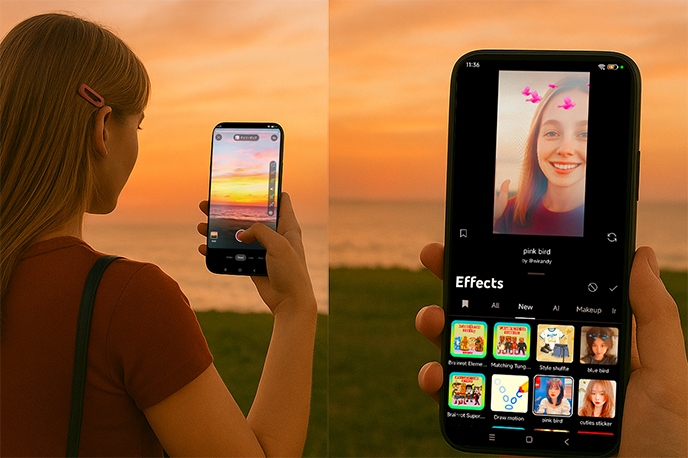
What is YouTube Shorts Effects Maker?
The Effects Maker is YouTube's new feature that enables creators to build and share custom visual effects for Shorts. Currently available only on desktop, the tool works similarly to Snapchat Lens Studio or TikTok's Effect House, empowering creators to go beyond preloaded filters.
Key Features:
Custom Effects: Upload and design your own AR filters, animations, or overlays for Shorts.
Channel Exposure: Published effects are displayed on your channel, reinforcing your personal brand.
Wider Usage: Once uploaded, your effects can be used by other Shorts creators across the platform.
AI Integration (coming soon): YouTube is testing generative AI tools to make creative design easier for beginners.
This move by YouTube not only gives creators more creative freedom but also provides new opportunities for visibility and engagement.
Who Can Use Effects Maker?
At this stage, Effects Maker is not available to everyone. To access it, you'll need:
Advanced features access on YouTube (such as verification or eligibility for monetization tools).
A desktop device — currently, Effects Maker is not available on mobile.
A Shorts-ready channel (creators who can upload Shorts can also use effects once they're published).
Once you design and publish an effect, it becomes usable by all Shorts creators with access to Shorts creation tools.
How to Use YouTube Shorts Effects Maker (Step-by-Step)
Although the tool is currently limited to desktop, getting started is straightforward. Here's how to create your first effect:
Log in to YouTube Studio (Desktop Only)
Visit studio.youtube.com and sign in with your channel account.
Enable Advanced Features
Only accounts with advanced features enabled can access Effects Maker, so make sure your account is verified.
Open the Effects Maker Tool
In YouTube Studio, look for the Effects Maker option and enter the editing interface.
Upload Your Assets
Import your creative files, such as PNG images, GIFs, or even 3D elements, and arrange them inside the editor.
Edit and Customize
Add animations, set triggers, and configure how the effect interacts with users during recording.
Preview Your Effect
Test the effect in real time to ensure it looks good in the vertical Shorts format.
Publish the Effect
Add a title, description, and tags before publishing. Once live, your effect will be available for all Shorts creators to use.
Why Use Effects Maker?
Adding custom effects to Shorts offers multiple advantages:
Stand Out from the Crowd
Unique effects can help your videos look different from thousands of other Shorts.
Increase Channel Visibility
When other creators use your effects, viewers will see your channel branding and may subscribe.
Ride Trending Topics
Quickly design effects around trending challenges, memes, or holidays to attract more views.
Boost Collaboration Potential
Custom effects can also make brand partnerships more appealing, as they provide an extra layer of creativity in campaigns.
Tips to Boost Views with Effects Maker
Creating effects is just the first step. To maximize their impact, consider these strategies:
Combine with Popular Challenges: Use your effect in a trending dance, meme, or storytelling format to increase shareability.
Cross-Promote on Other Platforms: Showcase your custom effects on TikTok, Instagram Reels, or even Twitter to drive traffic back to YouTube.
Make a Tutorial Video: Upload a Shorts video demonstrating how to use your effect. Tutorials often rank well in search and bring long-term traffic.
Analyze Performance: Monitor Shorts analytics to see how many videos use your effect, which can guide future designs.
The Future of Effects Maker
YouTube has already hinted at what's coming next for this tool:
Mobile expansion: At the moment, Effects Maker is only desktop-compatible. Expect it to roll out on mobile to make effect creation easier on the go.
AI-powered tools: Generative AI will likely be able to design or suggest effects for you, cutting down production time.
Creator ecosystem: As more effects are created, Shorts could evolve into an effect-sharing community, where viral filters play a big role in discovery.
In other words, this isn't just a side feature — it may become a central part of YouTube's short-form content strategy.
Final Thoughts
The launch of YouTube Shorts Effects Maker marks a big step forward for creators looking to differentiate themselves. With this tool, you can:
Build custom, branded visual effects.
Enhance channel discovery through community use.
Tap into trends more creatively.
Expand monetization opportunities through branded content.
As YouTube continues to expand its features, early adopters of the Effects Maker stand to gain the most visibility and engagement. If you're serious about growing on Shorts, now is the time to start experimenting with your own effects.



