Spotify has introduced a powerful new feature for Premium subscribers: custom playlist transitions. With this update, users can now add smooth fades, blends, and rise effects between tracks, transforming a regular playlist into a DJ-style mix. Whether you're preparing music for a party, creating a workout playlist, or curating background tracks for studying, Spotify's transition tools make it easier than ever to design a seamless listening experience. This article explains how the feature works, the key highlights, and practical tips to help you create professional-quality mixes directly inside Spotify.
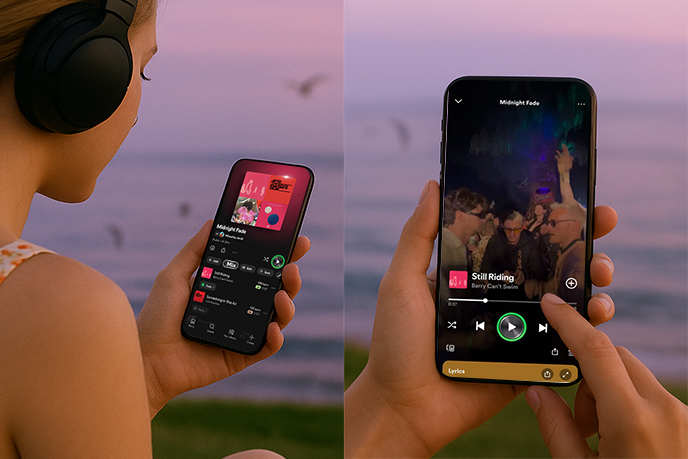
What Is Spotify's "Transitions" Feature?
In simple terms, Transitions is Spotify's new mixing tool that lets you control how songs connect within a playlist.
Normally, playlists play track after track with abrupt changes. With Transitions enabled, you can:
Choose different transition styles (fade, blend, rise, etc.).
Automatically match BPM (beats per minute) and Key between songs for smoother flow.
Customize duration, volume, and EQ effects for professional-level mixing.
Not only that, Spotify also displays the BPM (tempo) and Key of each song, making it convenient for even beginners to quickly find the most suitable transition point.
Key Highlights of the Transitions Feature
Multiple transition effects: Choose from Fade (crossfade), Rise (build-up), or Blend (seamless mixing) to set the right vibe.
Beat-matching tools: Spotify now shows the BPM (beats per minute) and key of each track, making it easy for beginners to find the perfect match.
Visual editing: Waveform and beat markers help you identify the ideal transition point for every track.
Toggle anytime: Switch between traditional playlists and mixed playlists instantly with the "Mix" button.
Social sharing: Save and share your mixes with friends, or even invite collaborators to co-create a playlist mix.
With these updates, Spotify playlists are evolving from "simple song collections" into personalized DJ performances.
How to Use Spotify's Custom Transitions
Getting started is simple:
Open any playlist (Premium subscription required).
Tap the "Mix" button in the toolbar to enter mix mode.
Select a transition style (Fade, Rise, or Blend) between songs.
Fine-tune your mix with adjustments for:
Volume
EQ (equalizer)
Sound effects
Waveform & beat data
Preview and save your playlist with transitions applied.
Once created, your mix can be:
Shared with friends on social media.
Collaborated on with other Premium subscribers.
Turned on/off at any time, depending on whether you want a traditional playlist or a live mix feel.
More Personalization Options
Spotify didn't stop at transitions. Users can add even more creative touches to their playlists:
Custom cover art: Upload your own images to give each mix its own identity.
Stickers and labels: New design elements made just for mixed playlists.
Smart recommendations: Spotify suggests songs that work better for seamless transitions, based on your style.
Together, these tools make your playlist not just something you listen to, but a musical project you create.
Recommended Use Cases
Spotify's transitions feature is versatile, but it shines in particular settings:
Parties & events: Keep the energy going with uninterrupted music flow.
Workouts & running: Use rising transitions or fast BPM blends to stay motivated.
Road trips & long drives: Smooth transitions make the journey more enjoyable and immersive.
Studying & working: Background music feels more fluid, helping you stay focused without abrupt song changes.
As Spotify notes, certain genres — like house, techno, and EDM — naturally work best with transitions due to their steady beats and layered production.
Rollout and Competition
The feature is currently available to most Spotify Premium users worldwide on iOS and Android (latest app version required). Some markets in the APAC region will receive access later as the rollout continues.
It also comes at a competitive time: Apple Music recently introduced its AutoMix feature in the iOS 26 developer beta, promising DJ-like transitions between tracks. With Spotify now offering visual beat-matching, EQ controls, and personalization, it's clear the streaming giant wants to stay ahead in the "playlist-as-a-DJ-set" trend.
Final Thoughts
Spotify's custom transitions are more than a small tweak — they're a major step toward making playlists dynamic, professional, and interactive. Whether you're a casual listener or a playlist expert, this feature unlocks new creative freedom and makes music more engaging than ever.
If you're a Premium user, update your Spotify app today and start experimenting with Transitions. Who knows — your next playlist might sound like a live DJ set.
What kind of playlist would you experiment with first — a party mix, a workout soundtrack, or a study session playlist?



