Threads' latest update, released in 2025, introduces an automatic post counter for linked updates, making multi-threaded content creation more efficient and clearer. Whether you're sharing long tutorials, news analysis, or event tracking on Threads, this feature automatically numbers your posts and updates them in real time as you edit your thread, eliminating the need for manual annotations like "1/3" and "2/3." This article will provide a detailed introduction to the use of Threads' automatic post counter, along with its advantages and practical tips, to help you improve efficiency and enhance the reading experience during content creation.
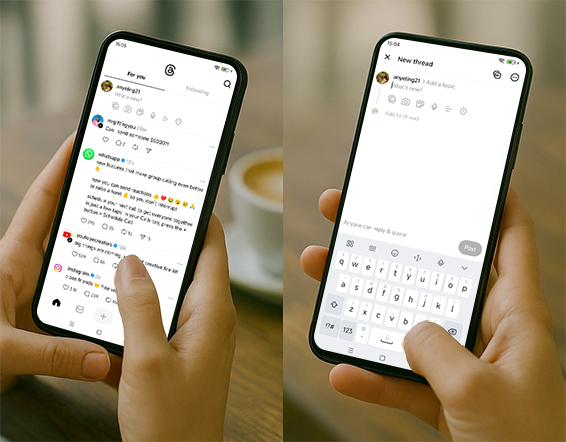
What is the post count feature of Threads?
Meta's Threads recently launched a useful feature in its latest version: an automatic post counter for linked updates.
When you create multi-post threads, the system automatically adds a count like "1/3" to the end of each post, indicating the current post's order and the total number of posts.
In the past, creators needed to manually enter "1/3" and "2/3" to prompt readers. Now all of this is done automatically by the system, saving time and effort and making it less error-prone.
Feature Highlights
Automatically add serial numbers: No need to manually edit, each post will automatically be numbered.
Dynamic updates: If you add or delete posts in the original thread, the system will automatically update the serial number to avoid confusion.
Better reading experience: readers can clearly know which article they have read and how many articles they have not read.
The creation threshold is lowered: it is suitable for multiple-post scenarios such as news reports, segmented interpretation of long articles, tutorials, etc.
Usage Tutorial (Detailed Steps)
This feature is currently rolling out in phases and may not be available to all users immediately.
We recommend updating to the latest version of Threads first, then testing it using the steps below.
Step 1: Update the Threads app
iOS users: Go to the App Store, search for Threads, and click Update
Android users: Go to the Google Play Store, search for Threads, and click Update
Step 2: Create a multi-post thread
Open Threads and click the post button in the lower right corner
Enter the first content (can include text, pictures, videos)
Click the "+" button to add a second piece of content
Add more posts in sequence to form a series
Step 3: Publish and view the results
After posting, the system will automatically add a mark like "1/3, 2/3" at the end of each post.
If there are 5 posts, the first one will show "1/5", the second one will show "2/5", and so on.
Step 4: Modify Thread
If you find that you have missed a piece of information, you can add a new thread in the original thread.
The automatic counter will be updated immediately, for example, from "1/3" to "1/4"
After deleting the post, the serial number will also be adjusted synchronously
Usage tips: How to make your multi-posting more efficient?
Plan the content structure in advance: Keep the topic of each post as concise as possible to facilitate readers' quick understanding.
Use the first post to guide: clearly state the content summary and the total number of posts in the first post (even if the system has a counting function, the background introduction at the beginning is still important).
Make good use of pictures and videos: Add a picture or short video to each post to enhance readability and forwarding rate.
Add interactive instructions at the end of the post: for example, "If you have any questions, please leave a message" or "Follow me for more updates."
Functional Application Scenarios
Multi-step tutorial
For example, "How to make a short video in five steps", each post introduces one step
Live event broadcast
Sports events, technology conferences, etc., updated continuously in multiple posts
Long article split
Avoid information overload in one post by splitting long content into multiple posts
Serialized stories
Novels and comics are updated in episodes, giving readers an incentive to keep up with the latest.
Why is this feature valuable in the long term?
While this may seem like a minor update, it has lasting implications for content creators, brands, and news outlets:
Improve reading retention rate (readers are more willing to read the entire article)
Reduce mechanical work during creation
Suitable for tutorials, event tracking, long text splitting, etc.
Make Threads closer to Twitter/X's easy-to-read experience in long-form content distribution
Frequently Asked Questions (FAQ)
Q1: Why isn't my thread count automatically counting after I updated Threads?
A: This feature is gradually being rolled out, and the rollout time varies by region. You can try logging out and back in, or waiting a few days.
Q2: Can this function be turned off?
A: Currently, there is no official option to turn it off. It is enabled by default.
Q3: Will a single post be numbered?
A: No, automatic counting only works in multi-post threads.
Q4: Will editing a post affect the count?
A: As long as the number of posts is not changed, editing the content will not affect the number.
Final Thoughts
Threads' automatic post counter feature, while simple, significantly improves the writing and reading experience of multi-threaded articles.
If you're a creator who frequently shares tutorials, news, or stories on Threads, keep an eye out for this update and try it out as soon as it's available—it might make your content more organized and easier to read in its entirety.
Will you try out the automatic post count feature in Threads? Do you think it will improve your efficiency in creating multiple posts?



