Following the launch of AI Overviews, Google is testing a new AI feature called "Web Guide": using AI to automatically classify search results pages (SERPs) by topic, allowing users to quickly see information collections of multiple related dimensions in one search.
This feature is currently in the internal testing phase of Search Labs and is likely to be officially launched and widely rolled out in the future.
But the impact behind this goes far beyond user experience - this may be a major blow to website owners, SEO practitioners and content creators who rely on Google traffic.
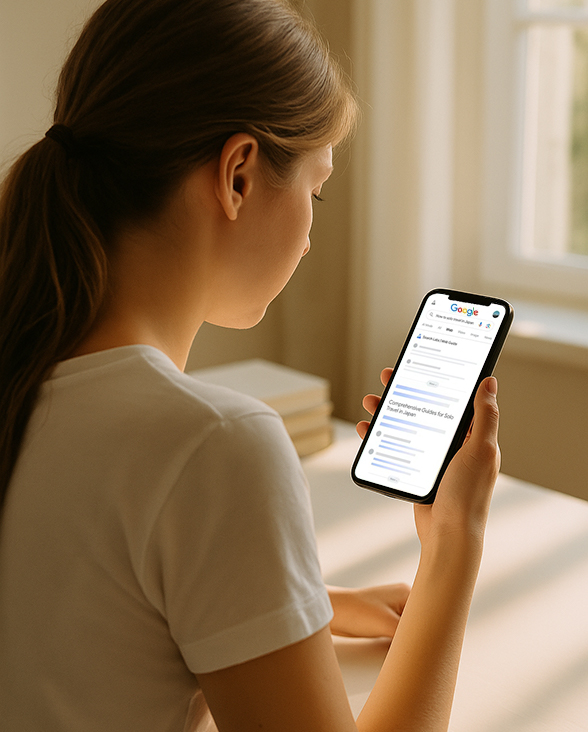
What is Google Web Guide?
Web Guide is a new experimental feature of Google Search, which uses the Gemini model to perform AI classification and organization of queries and web page content.
In layman's terms, it no longer just returns a bunch of links, it:
The search results are categorized and displayed from different perspectives, and each category is a "sub-question" under the query topic;
Use AI to automatically understand your search intent and web page content, and infer the questions you might ask next;
The display method is similar to an "information overview page", allowing users to see more aspects of the content at one time.
Example screen:
When a user searches for "how to write a resume", Web Guide may automatically generate these categories:
Resume template recommendation
Common mistakes on resumes
Resume skills for different positions
Online Resume Builder
Core technical points:
Use Gemini AI models to understand the semantics of queries and web pages
Automatically generate topic subsets (Sub-Collections)
The page layout is similar to a multi-layer folding card, which intuitively presents multiple topics
Tutorial: How to enable and experience the Web Guide function?
Currently, Google's Web Guide feature is still in the Search Labs testing phase and is only available to users in some regions such as the United States, but you can still try it out by following the steps below:
Step 1: Enable Search Labs experimental features
1. Log in to your Google account using Chrome browser
2. Visit Search Labs official website:
https://labs.google.com/search
3. If you are in a supported region, you will see a list of experimental options that can be enabled.
Find "AI Overviews and more" and click to enable it
(Web Guide is currently one of the extensions of this feature)
Note: Search Labs is currently only available on the English version of Google Search. It is recommended to set your browser or Google page language to English (United States)
Step 2: Try to trigger the Web Guide structured results
1. Search Google.com in English for more complex keywords, such as:
"how to start a podcast"
"best coffee brewing methods"
"how to learn web development in 2025"
2. If the trigger is successful, you will see the search results organized by subtopics, for example:
"Choosing the right microphone"
"Podcast hosting platforms"
"Recording and editing tips"
These groups are one of the effects of Web Guide.
Step 3: Optimize your search terms to increase the trigger rate
Web Guide is more likely to be triggered in the following scenarios:
Tutorial search (how to, guide to)
Comprehensive search (best ways to, comparison of)
Multi-dimensional topics (including keywords such as "learn", "tools", "planning", etc.)
You can try adding these trigger words when searching to increase the chances of hitting the target.
Why is this feature worth paying attention to?
Since launching AI Preview, Google has been putting more "answers" directly on the search page — which has a huge impact on the website's referral traffic.
According to the latest Pew Research study:
When users see the AI summary, the likelihood of clicking on the external link drops by half.
This means:
Content websites that focus on long-tail keywords will face greater traffic loss;
Search is no longer an "entrance" but an "end point".
The Web Guide feature further exacerbates this trend by presenting more answers and categorized information without the user even bothering to click.
What does it mean for SEO content creators?
Impact 1: Long-tail keywords lose their original value
If search engines "unpacked" all possible relevant dimensions directly in the SERP, users would never need to click through to your page.Impact 2: High-quality content no longer equals high traffic
Even if you spend time creating professional and detailed content, as long as the AI summary can quickly "understand" and "integrate" it, Google may prioritize displaying the AI-integrated results instead of your web page.Impact 3: The original source of the content is "hidden"
What users may see is just the AI-generated content card, and they may not click into the original website, which will also affect brand exposure and conversion.
How should creators respond to this trend?
1. Shift to "incompressible" content formats
For example:
In-depth analysis/industry exclusive views
Original research/charts/data insights
Video tutorials, podcasts, fun interactive experiences
These are forms of content that are currently difficult for AI to "extract and summarize" and have higher resistance to AI summarization.
2. Strengthen brand awareness and fan stickiness
SEO traffic is no longer stable. You must have a user base that "actively comes to you" by:
Public account/private domain community
Email subscription system
Content paid membership
Establish traffic channels outside of search engines.
3. Use structured data to increase content "citation rate"
When using AI to organize information, Google prefers content with a clear structure and schema markup, such as:
FAQ Format
Articles with clear paragraphs and high information density
Content with authoritative citations and data support
This helps you get "selected" into the AI-curated card lists.
Conclusion
Description of the Web Guide:
In the future, searching will no longer just be about finding web pages, but about finding structured, integrated views of information.
For users, this is a more efficient information acquisition experience; for content creators, this is a screening: whoever can provide truly valuable content will be clicked.
What do you think of the impact of Google Web Guide? Do you welcome this "AI automatically organizes information" search experience?