Recently, Instagram quietly launched a new test feature - Auto Scroll. If you are a heavy user of Reels, you may think this is nothing new, after all, Reels has long supported automatic switching of videos. But this time, Instagram brought auto scrolling to the main feed, which is where we usually scroll through posts, pictures, and ads.
So, what is the use of this feature? What does it mean to us? Should we turn it on? How to prevent addiction? This article will explain it all at once.
What is Instagram's auto-scroll feature?
Simply put, Instagram is testing an auto scroll feature for the main feed on a small scale. This feature allows you to scroll through posts on the main interface without having to swipe your fingers, as the content will automatically play down.
This is different from the auto-play function of Reels (short videos) we are familiar with. This update is aimed at ordinary picture and text posts in the main feed, that is, the updates of friends and recommended content that you see on the homepage.
Features include:
No need to slide, the content will play automatically
Only for the main feed (i.e. regular images and recommended content)
It's not Reels, the short video itself has autoplay
This means:
you can just "lie down and scroll" through the main feed, with your hands free and an endless supply of content.
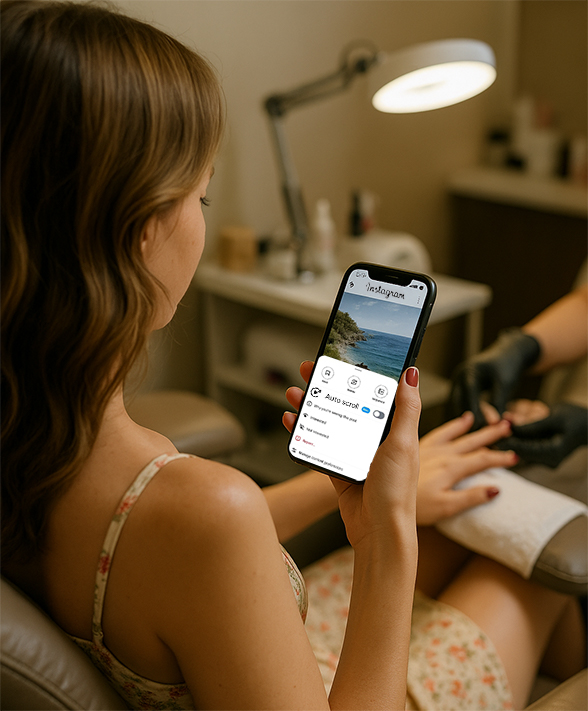
This feature is currently undergoing grayscale testing, and some users will see the "Auto Scroll" switch in the menu in the upper right corner of the post.
How to enable the auto-scroll feature on Instagram?
Currently, this feature is limited to some test users. If you are a user who is subject to grayscale testing, you can follow the steps below:
Steps:
1. Open Instagram and go to your main feed.
2. Find a post and click the "..." menu in the upper right corner.
3. If you are a test user, you will see the "Auto Scroll" option.
4. Click to turn it on, and the following content will automatically slide and play one by one.
Note: Not all accounts have this feature yet. If you don’t see it, it's normal.
What scenarios is this function suitable for?
Although it seems "lazy", this function may be really useful in actual use.
for example:
It is inconvenient to swipe the feed while eating
Watching pictures and texts while working out or on a treadmill
Doing manicures and lying on a massage chair to check Instagram
When commuting, you can't hold things with one hand and operate them frequently
Use it as a "background stream" of content to keep up with the latest developments while watching
This may be an attempt by Instagram to compete with TikTok and YouTube's automatic scrolling. After all, short video platforms already have similar features.
Practical Tips: How to use automatic scrolling "safely"?
Although this feature is indeed convenient, it is recommended that you use it with the following methods to avoid unconscious addiction:
Timed start: Use the timer on your phone to automatically remind you to take a break after a certain period of time.
Turn on eye protection mode: The screen stays on for a shorter time during automatic scrolling, and the visual burden may increase, so pay attention to protecting your eyes.
Set up the feed reasonably: clean up content that you are not interested in, make the recommendation algorithm more accurate, and avoid being bombarded with "invalid information".
Why is it attracting attention?
Even lazier operation: When you ar eating, working out, or even at the dentist's office, you don't need to operate the device with your hands, and the content will play automatically.
Tighter algorithmic recommendations: If your main feed already contains content you like, automatic scrolling may allow you to "scroll to the bottom" more smoothly.
Easy to immerse: Some people worry that this may further aggravate "unconscious screen swiping" and even be a bit like the "brainwashing playback" mode in movies.
However, automatic scrolling currently only applies to pictures, texts and video posts in the main feed, not Reels (short videos).
Although Reels can be played automatically, the focus of this update is on browsing picture and text content.
Is it worth turning on?
if you:
Want to use fragmented time to receive content "mindlessly"
I like to "brush my teeth while lying down" while eating.
Pursuing the ultimate lazy experience
You can try it.
But if you:
Want to browse content more purposefully
Hate algorithm-driven content
Worried about becoming addicted to "passive brushing"
It is recommended to use it moderately, or keep the habit of manual sliding.
Conclusion
Instagram's introduction of this feature is obviously influenced by the autoplay mechanism of TikTok and YouTube. Although it seems to be just "saving a finger movement", the meaning behind it is that social media is moving from "active browsing" to "passive consumption".
What do you think of Instagram's "auto scroll" feature? Will you try to turn it on, or keep the rhythm of manual scrolling?