Recently, TikTok officially launched its own exclusive font, TikTok Sans, which has made countless content creators, designers, and brand owners eager to try it:
from now on, the "TikTok style" will no longer be limited to TikTok. Now your posters, short video covers, and social media posts can use the same official font!
Whether you're a short video creator, brand owner, content marketer, or just want to make your presentation or poster look more "TikTok", this font may be just what you want.
So, what does this font look like? What are its features? How to install and use it? Is it worth trying in your design or marketing? In this article, let's disassemble it together.
What is "TikTok Sans"?
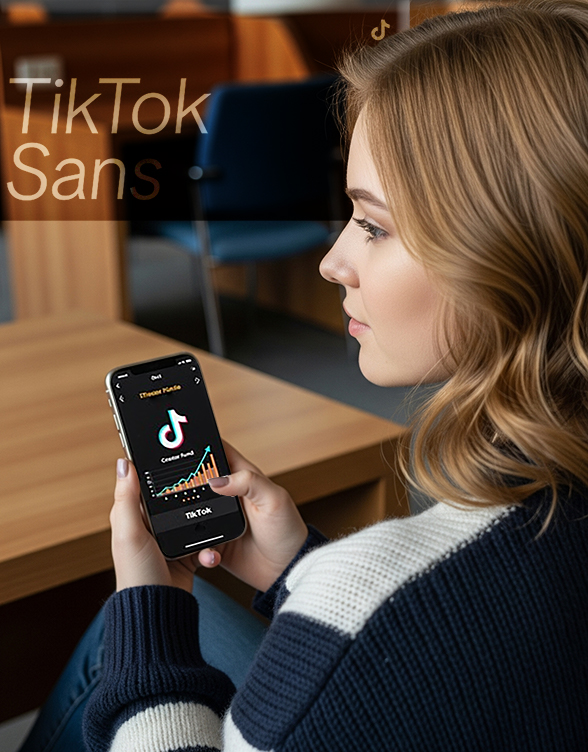
TikTok Sans is an exclusive font designed and launched by TikTok. Its goal is clear: to expand TikTok's visual language into a wider range of online culture and application scenarios.
According to TikTok's official introduction:
"TikTok Sans is inspired by our global community and blends seamlessly with popular fonts, giving you more flexibility in visual expression when creating high-quality videos."
Features:
Custom variable fonts: support adjusting font weight, width, slant and optical size.
Multi-language support: covering 460+ languages, including Latin, Greek, Cyrillic (Russian, etc.).
Optimized for mobile devices: adapted for video subtitles, UI interfaces, and social posters, especially suitable for use in the short video field.
Brand consistency: Continuing TikTok's inherent youthful, trendy, and technological style, it is highly recognizable.
Get it for free: You can download and use it for free through the TikTok official website or Google Fonts.
How to use TikTok Sans? (Practical tutorial)
TikTok Sans is now available on Google Fonts. You can get it for free on the official website:
Click to enter the TikTok Sans official website/Google Fonts page
Installation steps (for Windows/Mac):
Step 1: Download and install the font file:
Go to the link above
Click "Download family" in the upper right corner
Unzip the downloaded.zipfile
Step 2: Install fonts:
Windows users:
Double-click.ttfthe file → click "Install"
Mac Users:
Double-click.ttfthe file → click "Install Font"
Online design tools (such as Canva, Figma):
Currently not officially built-in, you need to upload custom fonts yourself.
After successful installation, you can use it in software such as Word, Photoshop, Jianying, Pr, etc.!
Step 3: Use in design
In posters, covers, and subtitles, choose TikTok Sans as the title font, which works best when paired with the brand colors (black, white, and red).
If you are making a social post or an advertising banner, remember to adjust the font weight to make it more readable.
When subtitles are added to the video, you can make the width wider to maintain TikTok's iconic "wide + clear" visual style.
App inspiration: What can you do with TikTok Sans?
TikTok Sans is not "only for TikTok official use". It is completely open to everyone and is particularly suitable for:
Short video creator: add a unique TikTok feel to your video subtitles
App interface design: used for UI text, buttons or prompts
Brand visual upgrade: create a younger, more lively and international brand image
Social media marketing: for posters, covers, stories, etc.
PPT/Presentation: Give your presentation a bit of a "social media feel"
H5 / Web page title: If you have an activity page or interactive game, changing the title font to TikTok Sans will be more in line with current popular aesthetics.
Make a video cover with TikTok Sans (Canva demo)
Now that you have installed the TikTok Sans font, lets use Canva to quickly make a TikTok-style video cover, suitable for use on platforms such as Bilibili, Douyin, and YouTube!
Step 1: Open Canva and select the cover size
1. Log in to Canva
2. Click [Create Design] in the upper right corner
3. Recommended size:
YouTube Cover: 1280 x 720
Tik Tok/Bilibili video cover: 1080 x 1920 (vertical screen)
Step 2: Upload the TikTok Sans font (Canva Pro users only)
1. In the left menu bar, click [Brand] > [Brand Font]
2. Click the [Upload Font] button and select the previously downloaded TikTok Sansfont file (.ttfformat)
3. After uploading, your font will appear in the custom font list
Tips: Free users can add fonts in software such as PS and Jianying in advance and then upload them to Canva.
Step 3: Design the cover and apply TikTok font style
1. Add a text title, such as "Hot again today"
2. In the font selection bar, select [TikTok Sans]
3. Adjust thickness and size, match with bright color background, TikTok style stickers or icons
4. You can add a little tilt or shadow to create a "sense of movement"
Step 4: Export your cover image
1. Click on the upper right corner [Share] > [Download]
2. Recommended format: PNG or JPG
3. The naming is clear and convenient for uploading to various video platforms as cover
Bonus Suggestions:
Paired with black and white + bright contrasting colors (such as red/pink/cyan), it has a more TikTok flavor
The characters on the cover can use silhouettes or framed portraits to enhance visual focus.
Keep the blank area to facilitate adding subtitles or the platform to automatically generate titles
Is TikTok Sans worth using?
This is a controversial question. Some people think it's just another "fancy font", but for content creators and brand designers, it can be a very practical tool:
Advantage:
Free and easy to get
Strong brand association
Multi-language support
Possible disadvantages:
The visual style is youthful and not suitable for serious occasions
TikTok style is not suitable for all industries
Some editing software may have a delay in recognition
Conclusion: Should we follow the trend of TikTok Sans?
The emergence of TikTok Sans represents that the short video platform has begun to export "visual symbols".
This is a free blessing of popular elements for both individuals and brands.
Do you want to use it? It's very simple:
If you want to keep up with the trend, try it.
I don't think it's necessary, and you don't have to.
But if you understand that "hot spots mean traffic",
then you must put this font in your toolbox.
Once you become proficient in using it, your content will be one step closer to TikTok's traffic field!
How do you plan to use TikTok Sans? Do you think it's more interesting than you thought?



