Google recently announced that Gmail is gradually launching a new feature worldwide - "Manage subscriptions". This feature supports use on the web, Android and iOS applications. It aims to help users quickly view and centrally manage all subscription emails, and unsubscribe from senders that are no longer needed with one click.
This article will introduce you to this new feature and teach you how to use it to clean up your mailbox efficiently!
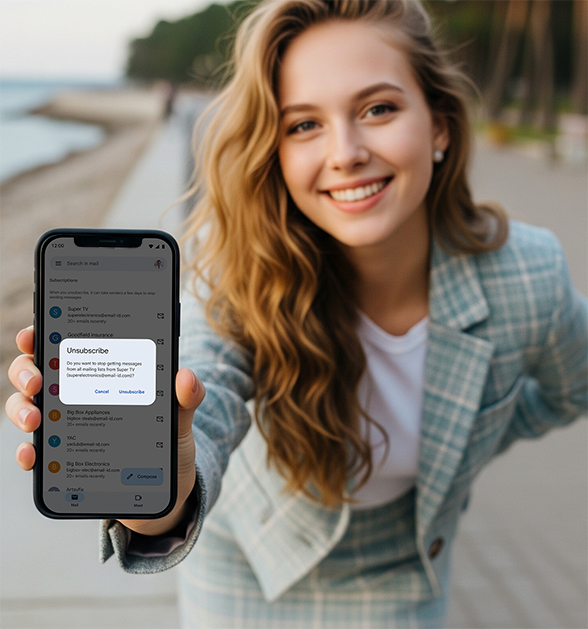
Understand the core highlights of the "Manage Subscription" function in one minute
"Manage subscriptions" is a new tool added by Gmail specifically for organizing and unsubscribing email subscriptions. The highlights of its functions are as follows:
Centralized management of all subscription emails: Automatically identify the email lists you have subscribed to and display them in a centralized manner;
Google recently announced that Gmail is gradually launching a new feature worldwide - "Manage subscriptions". This feature supports use on the web, Android and iOS applications. It aims to help users quickly view and centrally manage all subscription emails, and unsubscribe from senders that are no longer needed with one click.
This article will introduce you to this new feature and teach you how to use it to clean up your mailbox efficiently!
Understand the core highlights of the "Manage Subscription" function in one minute
"Manage subscriptions" is a new tool added by Gmail specifically for organizing and unsubscribing email subscriptions. The highlights of its functions are as follows:
Centralized management of all subscription emails: Automatically identify the email lists you have subscribed to and display them in a centralized manner;
Sort by frequency: It is easy to see who posts the most;
One-click unsubscribe: There is an "unsubscribe" button next to each subscription, no need to jump or find the link manually;
Visualization of sending statistics: You can view how many emails each sender has sent in recent weeks, with intuitive data;
Applicable to all personal accounts and Google Workspace users.
This feature is especially suitable for people who have subscribed to a large number of services and have not cleaned their mailboxes for many years. Simply put: this is the first time that Gmail has made subscription management a visual and automated tool. Users no longer have to click on small links to unsubscribe from each email!
What is the "Manage Subscriptions" feature in Gmail?
"Manage Subscriptions"is a new Gmail tool designed to help users easily view, manage, and unsubscribe from email subscriptions in one central place.
It automatically organizes senders based on frequency and lets you unsubscribe from mailing lists with a single click.The main purpose of this feature is to provide Gmail users with a clearer subscription management interface. With this new tool, you can:
Quickly view all incoming subscription emails
Determine which senders are taking up space in your inbox most frequently
Use Gmail's built-in "one-click unsubscribe" button to unsubscribe directly
Avoid the hassle of opening each email to find the unsubscribe link
Whether you are an ordinary user in the information explosion or a professional who is accustomed to handling emails efficiently, this feature can greatly improve your mailbox cleaning efficiency and experience.
Applicable platforms and launch time
This feature will be launched in phases on the following platforms (currently only in certain countries):
Web version of Gmail: will be launched from July 9
Android App: Updates will be pushed starting July 14
iOS App: Available from July 21
Applies to all personal Google Accounts, Google Workspace users, and Workspace Individual subscribers.
Practical tutorial: How to enable the "Manage subscriptions" feature?
Just 3 steps to give your mailbox a new look
Step 1: Open Gmail and go to the sidebar menu
Click the "☰" three-horizontal line menu in the upper left corner of the web version or App, and find the newly appeared " Manage subscriptions ".
Tip: If you haven't seen this option yet, you may need to wait for the feature to be gradually released or update Gmail to the latest version.
Step 2: Check your email subscription list
Gmail will automatically scan your inbox and display all active subscriptions, sorted by most frequently sent emails to least frequently sent emails. You can see:
Who is each sender?
How many emails have been sent in recent weeks?
Do you often send repetitive or useless content?
Step 3: Unsubscribe from emails you no longer want to receive with one click
See a sender that you email very frequently but you are no longer interested in?
Just click the " Unsubscribe " button next to it and Gmail will send an unsubscribe request on your behalf, saving time and efficiency.How to make good use of the "Manage Subscription" function?
Once you are on the Manage Subscriptions page, you will see a simple list view:
Step 1: Browse the subscription feed list
Gmail automatically identifies all feeds you've sent emails to in the past few weeks
Sort by sending frequency, with the most active senders at the top
Step 2: Click on the subscription source to view details
View all emails from this sender
Determine whether it is the email source you need to keep
Step 3: Click "One-click unsubscribe"
There is an "Unsubscribe" button next to each feed
Gmail will send a standard unsubscribe request directly to the sender
With this feature, you no longer need to manually open each email and scroll to the bottom to find the "small print unsubscribe link"!
How to determine which emails to unsubscribe from?
Recommendations to keep:
Membership services currently in use (e.g. Netflix, Spotify)
Normally used e-commerce platforms (such as order notifications)
Important news/industry information subscription
Recommend unsubscribe:
Emails with discounts are sent every day but never opened
Notice about the registration platform that has not been used for many years
Various "You have been selected to participate in the survey" or "Today's Recommendation" emails
Tips to improve efficiency
Prioritize unsubscribing from "high-frequency push" merchant emails: For example, unsubscribe from promotional ads sent once a day.
Keep "low-frequency useful" service emails: such as bank, membership points, bill reminders, etc. It is recommended to keep them
Use this feature regularly: It is recommended to open "Manage Subscriptions" once a month to keep your mailbox clean.
With Gmail label/filter function: further automatically classify important vs unimportant emails
Security reminder: Gmail has also added an AI anti-fraud mechanism
According to Google data, in addition to subscription management tools, Gmail recently upgraded its AI-based anti-fraud system, blocking more than 35% of fraudulent emails and continuing to automatically identify and intercept 99.9% of spam, phishing emails, and malware.
Conclusion
This time, "Manage subscriptions" is not only a mailbox organization tool, but also a good helper to improve work and life efficiency.
No more being bothered by irrelevant advertising emails
No need to unsubscribe manually one by one
You can focus on the truly important communications
Don't want to miss important emails or manually clear the trash every week? check to see if your Gmail has enabled this new feature!
Remember to update the Gmail App to the latest version, or refresh the page to view.
Have you enabled the "Manage subscriptions" feature yet?



