Recently, Meta CEO Zuckerberg personally announced on Threads: The "Spoiler Tags" feature is officially launched!
Once this feature was launched, it sparked widespread discussion among movie and TV fans and content creators - many people said that this is the real "humanized design of social media"!
So, how to use this feature? Which content creators and ordinary users is it suitable for? This article will help you get started quickly and analyze the traffic secrets behind it!
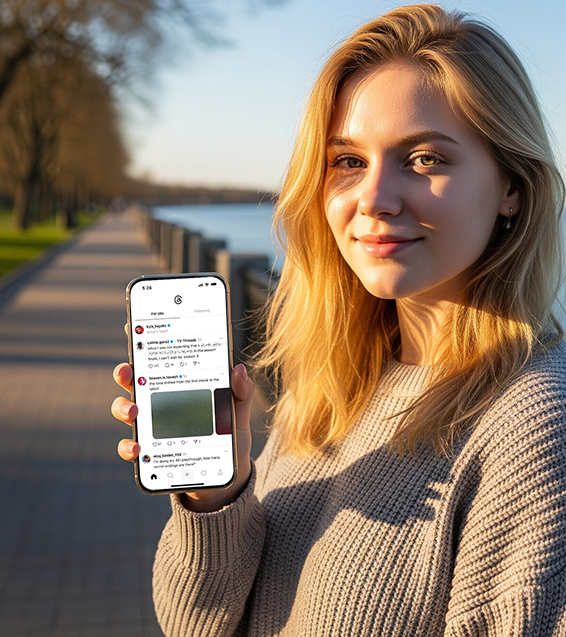
What is the "spoiler tag" feature of Threads?
This is a new text masking feature in Threads that allows users to mark some content as "spoiler marks" when posting. These texts will be blurred by default, and readers will need to click to view the full content.
For example:
If you wrote a review:
"I really didn’t expect that he would end up in The Last of Us…"
In the past, posting it would directly spoil the show. Now you can hide the text "He actually..." to avoid affecting friends who haven't seen it.
Who can use this feature?
The feature is currently in testing and not available to all users right away. According to Meta spokesperson Alec Booker, this is a "global test" and you may have quietly become eligible, or it may take a few weeks.
You can try updating the Threads app to see if the following tagging options are available.
Tutorial: How to use the "Spoiler Tag"?
It is very easy to use, just three steps:
Step 1: Write content
Enter the content you want to post in the Threads publishing interface.
Step 2: Highlight sensitive paragraphs
Press and hold your finger or select the part you want to label as spoiler.
Step 3: Select "Mark Spoiler"
Click the "Mark Spoiler" button that pops up and the text will automatically become blurred.
After publication, readers can click on the blurred text to choose whether to view it.
Tips: You can set spoiler tags in multiple paragraphs to hide multiple sensitive points in the same post!
How can content creators make good use of this feature?
If you are a content creator, you may want to try the following content creation techniques:
1. Create suspense
Example: "You'd never have thought that he would end up ___ (click to view)"
2. Combined with hot spots
Example: "Last night, White Lotus had its finale, and I was completely shocked! (Discussion of the finale spoilers)"
3. Interactive guidance
Example: "Do you think the ending makes sense? I disagree ↓ (hidden opinion)"
Who is it suitable for?
Film and TV variety show blogger
Reviews of popular TV series (such as Game of Thrones, The Last of Us, and White Lotus)
Analyze Easter eggs and hidden plots
Game live/strategy author
Leaking plot, hidden tasks, and boss battle techniques in advance
Knowledge and science creators
Set up a "Knowledge Quiz" and let users click to view the answer
Improve engagement and retention
Ordinary User
Don't be afraid of being blocked for complaining about the plot
Send some "secret code" content, only for people who understand it
Hot Case: What content is best suited for spoiler tags?
Meta officials pointed out that spoiler tags are most suitable for entertainment hot topics, such as:
The Last of Us: A Plot Analysis
Speculations about the fate of the characters in The White Lotus
The latest TV series ending reversal
Sports event results (e.g. NBA finals, European Cup scores)
When viewers see your post on Threads, if the title is cleverly set + spoiler-blocking, it is very easy to stimulate the desire to click and comment.
Why is this feature worth paying attention to?
Meta obviously wants to use this feature to seize the "X/Twitter real-time discussion market."
According to official data:
Threads has reached 350 million monthly active users and is still growing rapidly
"Entertainment, dramas, and sports real-time topics" are the core of growth
If you are a content creator, now is a good time to join Threads! Spoiler tags can effectively reduce reader disgust and increase content interaction rate, which is especially suitable for riding on hot topics and making series of content.
Conclusion
With the addition of "spoiler tags" and users' increasing preference for a "gentle social environment", Threads has gradually gained a place in live events, hot spot tracking, and entertainment topics.
Meta is actively promoting Threads to become the "next billion-user platform", and this feature update is an important step in its social product ecosystem war.
Have you tried the spoiler tag feature on Threads?