Recently, Instagram officially announced a wave of major updates. Especially for content creators and music lovers, this change is undoubtedly a "liberation of free expression"!
From real-time synchronization of Spotify music status to freely dragging the order of the homepage grid, to testing a new way to post short video content on the homepage without being pushed, Instagram is gradually building a platform ecosystem that is easier and more creative.
This article will sort out this wave of updates for you and provide detailed operation tutorials to help you get started quickly and play with the new features!
What new features are there in this update?
Meta and Instagram recently released a series of new features, mainly around the following three points:
1️. Added Spotify real-time synchronization to the Notes status bar
Instagram Notes (the small status above DM) now supports syncing the Spotify songs you are listening to.
Display song title + artist in real time, no need to update manually.
You can also jump to Spotify after clicking, so that friends can listen to the same song with one click.
Tips: Your Instagram and Spotify need to be linked to the same account or authorized to ensure the function works properly.
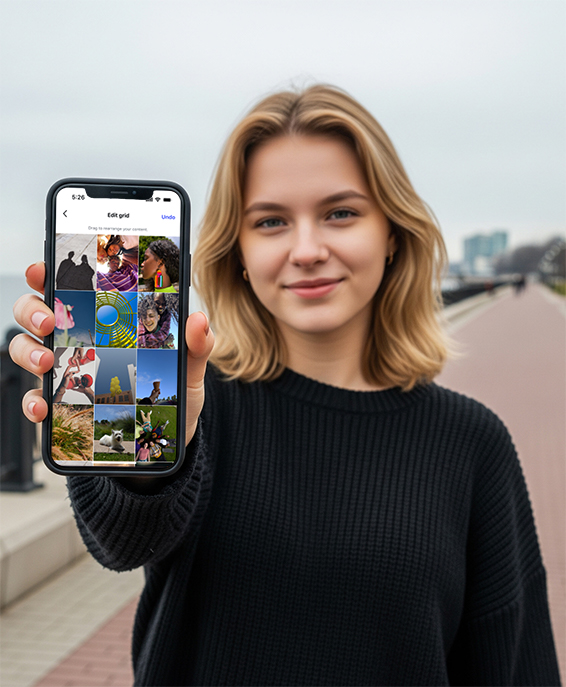
2️. Homepage grid free layout (launched next week)
You can freely adjust the display order of posts on your personal homepage to break the limit of posting time.
Create a more beautiful and unified personal homepage style (good news for photography bloggers/brand owners).
You can create advanced visual effects such as "cover puzzle" and "series display".
3️. Reels low-stress test launch (now open to everyone)
You can choose to test your Reel content with a new audience first.
If the performance is good, we will decide whether to post it to the fan page that follows you.
Verify your creativity without pressure and say goodbye to the embarrassment of "regret after publishing the content".
Practical tutorial: How to use these functions?
1. How to show the Spotify songs you are listening to on Instagram Notes?
It is now available to users worldwide. Please update Instagram and Spotify App to the latest version before using it.
Here are the steps:
1. Open Spotify and play any song;
2. Open Instagram → go to DM page;
3. Click the "+" next to your avatar to add a Notes status;
4. Select "Music you are listening to" from the pop-up options;
5. The system will automatically synchronize the current song information;
6. Click publish and your friends can see the songs you listen to!
Warm reminder: Song information is updated in real time, and the status will also change once the song is switched.
2. How to customize the homepage grid order? (The feature will be launched next week)
Functional description:
No longer restricted by "posting time" sorting;
You can drag and drop posts to adjust the order freely;
The ranking results only affect the homepage and do not affect the fans' timeline.
Expected usage (based on the previous test version):
1. Open your Instagram profile;
2. Click the [three dots] in the upper right corner → Select "Edit Grid";
3. Drag the post to the location you want;
4. Click "Save" to take effect.
Combine content theme colors and filter styles to create a visually unified creative homepage!
3. How to test your Reels with low risk?
1. After editing the Reels video, enter the publishing interface;
2. Find the test option of "Pre-send to non-fans" (appears in the form of a pop-up window or switch);
3. After you turn it on, the video will not be pushed to your existing fans;
4. If the test feedback is good, choose to republish to everyone.
Data shows that 40% of creators have posted content more frequently due to this feature.
How can content creators make good use of these features?
Whether you are creating Vlog, beauty and fashion, music, photography or knowledge-based content, these new features can help you attract fans, shape your image and reduce anxiety about content publishing:
1. Spotify Notes: Create an "auditory persona" to enhance intimacy
Suggested Usage:
Share the songs you are listening to on Notes regularly to reflect your music taste and mood changes;
If you are a music UP host or content blogger, you can link with the content you are publishing, for example:
Post a "night vlog" and sync "lofi chill" or "late night ballads" on Notes.Emotional expression + music is the most direct bridge connecting users and helps to narrow the sense of distance.
Suitable for:
Create emotional content atmosphere
Promote your own playlist or podcast (can be paired with Spotify playlists)
2. Homepage grid free layout: create a homepage with a strong sense of brand
Suggested Usage:
Divide content into sections by topic, such as:
1. The top row is personal introduction/representative works
2. The middle row is for series content (such as teaching, daily)
3. The bottom row is for interactive, lightweight content or Q&AFreely place top images and text to guide users to understand your style or "where to start looking at you"
Suitable for:
Do "Nine-square puzzle promotion" during marketing nodes
Launch a series of content collections
Reorder old content to extend its lifecycle
3. Reels "Beta Release": bolder creations and richer styles
Suggested Usage:
Send out some content that "tries out new styles and different topics" through the test function first;
After collecting likes, saves, and completion rates, evaluate whether it is worth turning into main content;
Use this function to accumulate data on the "non-fan outer circle" and find the breakthrough point.
Suitable for:
Testing new series (e.g. switching from vlogs to explainers)
Creating hot content to attract traffic but afraid of failure
I want to update daily but I am afraid the quality will fluctuate
What does this wave of updates mean?
Instagram is increasingly focusing on the psychological experience of creators, from "grid layout freedom", "music expression of self", to "low-risk test content",
the core is:
Reduce social anxiety and unleash creative freedom.
If you are a content creator, this is a good opportunity to explore new styles, enhance your personality, and interact more naturally. If you are an ordinary user, you can also use these small features to better showcase your lifestyle and preferences.
Conclusion
This wave of updates is part of Instagram's "Anyway" creative support program. The core idea is:
Reduce publishing pressure + increase the freedom of content creation + strengthen the integration of music and content.
From linking Notes status with music, to customizing the homepage grid, to testing the Reels mechanism, Instagram is gradually making content creation easier, more interesting, and more social.
Have you used these functions? How are the experiences of these new functions?