Recently, YouTube has officially added a series of powerful generative AI features to Shorts, lowering the threshold for short video creation to a new low. Whether you are a video blogger, designer, painter or ordinary user, now you only need a photo or a stick figure to create a creative dynamic video through AI!
This article will take you to understand the technical highlights behind these new features and teach you how to quickly get started.
What is the generative AI feature of YouTube Shorts?
Simply put, Generative AI is the use of artificial intelligence to automatically "generate" new content, such as pictures, videos, audio, text, etc.
The main features launched so far include:
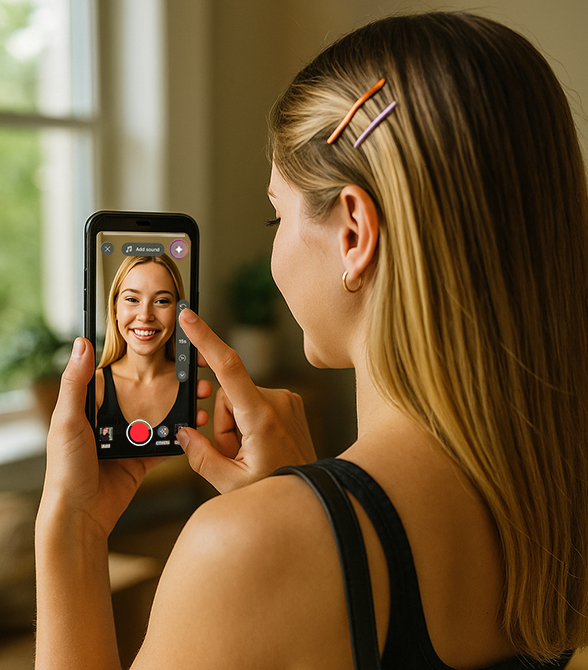
Photo to Video: Upload a photo and AI will automatically generate a dynamic image.
Recently, YouTube has officially added a series of powerful generative AI features to Shorts, lowering the threshold for short video creation to a new low. Whether you are a video blogger, designer, painter or ordinary user, now you only need a photo or a stick figure to create a creative dynamic video through AI!
This article will take you to understand the technical highlights behind these new features and teach you how to quickly get started.
What is the generative AI feature of YouTube Shorts?
Simply put, Generative AI is the use of artificial intelligence to automatically "generate" new content, such as pictures, videos, audio, text, etc.
The main features launched so far include:
Photo to Video: Upload a photo and AI will automatically generate a dynamic image.
Animate Drawings: Quickly convert static hand-drawn drafts into animations.
AI Playground: An AI creation space that integrates image, music, and video generation.
AI Effects: Integrates all AI functions and templates for one-click use.
These features are gradually being made available in the United States, Canada, Australia, and New Zealand, and will be expanded to more regions within the year.
What are the highlights of the new features?
To summarize briefly, there are 3 new highlights this time:
Photo to Video:
Just select a picture from your album and click on the creative suggestions provided by YouTube, and AI will automatically turn the photo into an animation, with the background, lens, and character details completed.Animate Drawings:
Throw in your doodles, drafts, and sketches, and AI will automatically generate dynamic versions for you, and even change the scene and style.AI Playground (AI Creation Lab):
It integrates more generative AI functions, such as quickly generating videos, pictures, and music. It also comes with an inspiration library and preset prompts to help you get started with one click.
Practical Tutorial: How to use these AI features?
Prerequisite: These features are currently available in the Shorts camera and require updating to the latest version of the YouTube App.
Step 1: Open the Shorts camera
Enter the YouTube App
Click the "+" button in the middle of the bottom
Select "Create Shorts"
Step 2: Enter the AI effect area
In the shooting interface, click the "star icon" in the upper right corner (that is, AI Playground)
Or click "Effects" > "AI Tools"
Step 3: Select function and upload material
If you select [Photo to Video], upload photos
If you select [Sketch Animation], upload a drawing or hand-drawn picture
Select the animation style provided by the system
Wait a few seconds and AI will automatically generate the video!
Step 4: Edit & Publish
You can add text, filters, music
When you are finished, click "Next" to publish!
What can you do with these new features?
1. Photo to Video
Simply put, this feature can turn your album photos into dynamic videos with just one click!
How to operate:
Select any photo
The system provides multiple creative suggested animation styles
After selection, video content is generated instantly!
This feature currently uses Google's latest Veo 2 generative AI model, and will be upgraded to the more powerful Veo 3 in the future to support more lens languages and visual details.
2. Sketch to Animation
Have you ever drawn a character, a rough draft, or a hand-drawn logo? Now you can turn all of these into animated short videos in seconds!
You just need to upload your drawing or line drawing, and the system will help you:
Add Action
Switch background
Generate animation versions in different styles
3. AI Playground
YouTube also launched a new portal that brings together a variety of AI tools: "AI Playground".
Here are some things you can try:
Video Generation
Image creation
AI soundtrack
Sample video appreciation
Quickly generate prompt words
Recommended inspiration cases
Photo Travel Log → Upload a landscape photo and generate a travel story video with one click
Virtual character promotional video → Sketch becomes dynamic image for setting display
Vlog opening animation → Hand-drawn signature and avatar become exquisite animation opening
Review of the painting process → Turning static works into dynamic interpretations
Brand promotion video → Use AI to quickly generate product introduction animations
Tips: You need to pay attention to these
AI watermark: All videos generated with Veo will automatically carry the SynthID watermark and indicate that they are AI creations to avoid misuse.
Model version: Currently using Veo 2, it will soon be upgraded to Veo 3, the generation effect will be faster and more realistic.
Creative compliance: Photos and hand-painted works should preferably be your own or copyrighted, and do not infringe on the privacy and copyright of others.
Conclusion
This wave of new features, to some extent, is lowering the threshold for short video creation.
Don't worry about not having the material, not having the time to shoot, or not knowing how to edit. As long as you have a photo, you can make a moving video.What will you create using these AI video tools?